Export Telegram Chat: Your Complete Guide to Saving Conversations
Export telegram chat - Learn to export Telegram chat from desktop & mobile seamlessly. This guide covers JSON/HTML formats, public channel tools, and transformi

The native export Telegram chat function works fine for personal backup. For channel owners, researchers, and marketers, it's a starting point — not an endpoint.
Why Exporting Telegram Chat Matters
An export turns your chat history into an offline dataset you can work with. Dig through months of posts to see which formats drove the most reactions, pull a public channel's full history to study a competitor's patterns, or analyze timestamps to find when your audience is actually online.
The catch: a native export is a snapshot. It captures the current state — no edit history, no deleted messages. For a static personal archive that's fine. It also matters if you ever need to verify a deleted post existed, since an export only proves what it captured. For ongoing analysis, the difference between a snapshot and a running record is the whole subject of your Telegram Wayback Machine.
Statiko tracks public channels continuously, logging every edit and deletion as it happens. With Telegram crossing 1 billion monthly active users in early 2025 (Telegram growth stats), that kind of persistent record is increasingly useful for serious research.
Exporting From Telegram Desktop
The full export feature is desktop-only — Windows and Mac only. You need the Telegram Desktop app installed and logged in. Mobile doesn't have it.
Steps: - Click the hamburger menu (top-left) - Go to Settings → Advanced - Select Export Telegram Data
You can pick individual chats or export everything, select which media types to include, and set a date range. Deselecting photos and videos dramatically shrinks file size if you only need text and links.
Check your disk space before starting. Years of media can exceed hundreds of gigabytes.
Choosing Your Format
| Feature | HTML Format | JSON Format |
|---|---|---|
| Primary Use | Human-readable archive | Machine-readable data analysis |
| Appearance | Resembles the Telegram chat interface | Raw, structured text file |
| Best For | Browsing old conversations offline | Importing into spreadsheets or databases |
| Technical Skill | None required to view | Basic data handling knowledge needed |
HTML creates a browsable offline folder that looks like the Telegram UI. Good for personal archives. JSON is structured data — timestamps, user IDs, message content — ready for spreadsheets, databases, or scripts. For any real analysis, JSON is the only practical choice.
Advanced Methods for Public Channel Data
A single export misses the most valuable signals from public channels: edits and deletions. A channel that quietly rewrites posts after publishing tells a different story than the final version suggests.
Third-party monitoring — Statiko is built for this. It keeps a continuous record of public channel activity: message edit history with timestamps, deleted message archives, and automatic collection of new posts. No re-exports needed.
Telegram API is the route if you need custom control. Build scripts that pull data from multiple channels on a schedule and push it into a database or dashboard. Flexible, but requires coding. See our guide on Telegram OSINT techniques for what's possible.
Mobile Limitations
Full export is desktop-only by design. Mobile apps don't support it — processing gigabytes of media on a phone isn't practical.
Workaround: Use Saved Messages as a staging area. Long-press a message, select what you need, forward to Saved Messages. When you're back at a desktop, export just that chat. It won't capture full conversations, but it's useful for preserving specific messages before they disappear — see our guide on recovering deleted Telegram messages.
Turning Exported Data into Insights
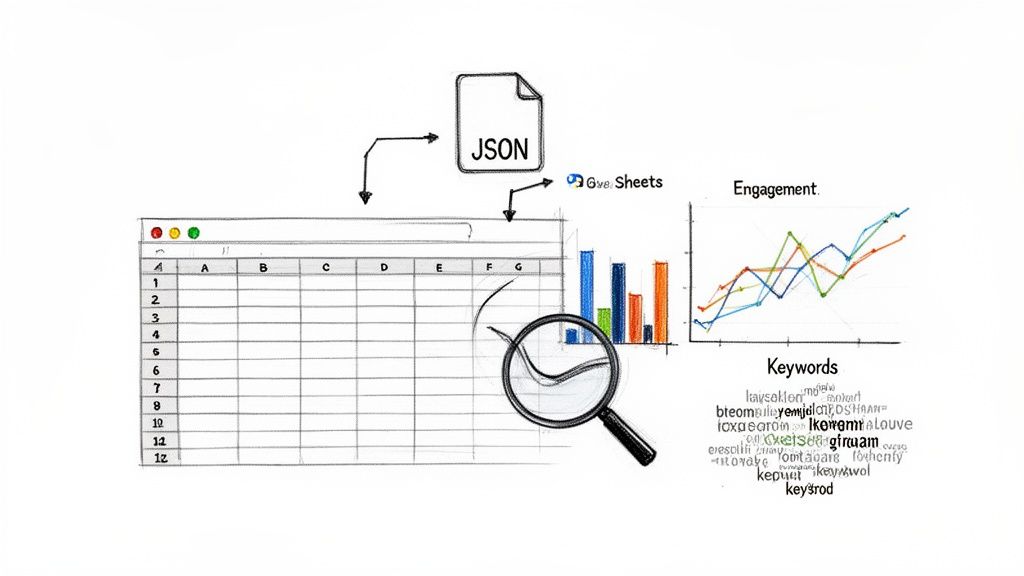
Once you have a JSON file, import it into Google Sheets or Excel. The raw data becomes structured columns: message content, timestamp, author, media links.
Pivot tables on the timestamp column show posting patterns by day and hour. Word frequency analysis reveals your actual content focus versus what you think you post about. If the export includes reaction data, correlate message timing with engagement to find your best posting windows.
Manual spreadsheet dives complement automated tools well. You might spot top-performing posts in a Statiko dashboard, then cross-reference them in your spreadsheet to check if they share keywords, timing, or media formats. For a broader set of tools, see our comparison of Telegram channel analytics. If you'd rather skip the spreadsheet entirely, see how AI summaries of Telegram channels can compress channel history into decision-ready briefs — that guide also weighs the push-button approach against manual review and a DIY pipeline.
FAQ
Can I export a channel I don't admin? For public channels, yes — any subscriber can export the visible history using Telegram Desktop. For private channels, you need to be a member and the admin must have enabled full history access. Statiko covers public channels only.
Will the export include edited or deleted messages? No. A native export is a snapshot of the current state. Deleted messages are gone; edited messages show only the latest version. To capture that history, you need a service that monitors continuously — that's what Statiko does.
Is there a size limit on exports? Not technically. Telegram's tool handles massive chats fine. The real constraints are your disk space and time. Very large channels can produce exports hundreds of gigabytes in size.
Which format should I choose? HTML if you want a readable offline archive. JSON if you plan to analyze the data. For any serious work, JSON.
For channel owners who need more than a static file, Statiko offers continuous monitoring and deep analytics. Track edits, recover deleted messages, and gain AI-powered insights to grow your audience. Discover the full story of your channel's performance at https://statiko.io.
Related posts

Telegram's cloud sync is not a backup. Export your full history from Desktop, work around the mobile limits, and automate the whole thing.

You get 5 seconds to undo a deletion. After that your odds depend on where the message was — here is what works per chat type, and what doesn't.

Unlock growth with our guide to Telegram channel analytics. Learn to track key metrics, analyze competitors, and make data-driven decisions for your channel.
Start in seconds.
Create a free account to organise channels, track activity, and get recaps delivered to you.
Real-time. Telegram. Analytics.