AI Summary of a Telegram Channel: The Complete 2026 Guide
The complete guide to AI summaries, recaps and digests of Telegram channels — how they work, the four ways to get one, and seven recap formats.

You're monitoring ten Telegram channels that post all day. One edits a key message. Another deletes something after it spread. By the time you've read one carefully, five others have changed.
That's why demand for AI summaries of Telegram channels grew so fast. Professionals need a fast read on what mattered, what changed, and whether the output is safe to act on. This guide covers the whole thing: what these summaries actually are, the four ways to get one, the recap formats worth building, and the checks that separate an analyst's brief from a shortened feed.
Post Summaries vs. Channel Recaps
The single most common mistake is treating these as the same product. They aren't.

A post summary condenses one long message. Telegram ships this natively — its first major 2026 update made long posts instantly summarizable, and Instant View pages now carry an automatic AI summary at the top (Telegram's 2026 AI summaries update). Tap, read, move on.
A channel recap answers a different question: what happened across a period. Which themes recurred, which posts broke pattern, whether the channel's direction shifted, and what got edited or deleted along the way. Analysts almost never ask "what is this post about." They ask "what was the top-performing topic last month, and what disappeared."
The distinction matters because the tooling diverges completely. Post summarizers read what's on screen right now. Channel recaps need a preserved record — every version of every message — or they can only describe the current state and call it history.
How a Channel Recap Is Built
Strong AI summaries don't behave like text compressors. They ingest posts, inspect engagement signals, rank what matters, and assemble a readable brief.
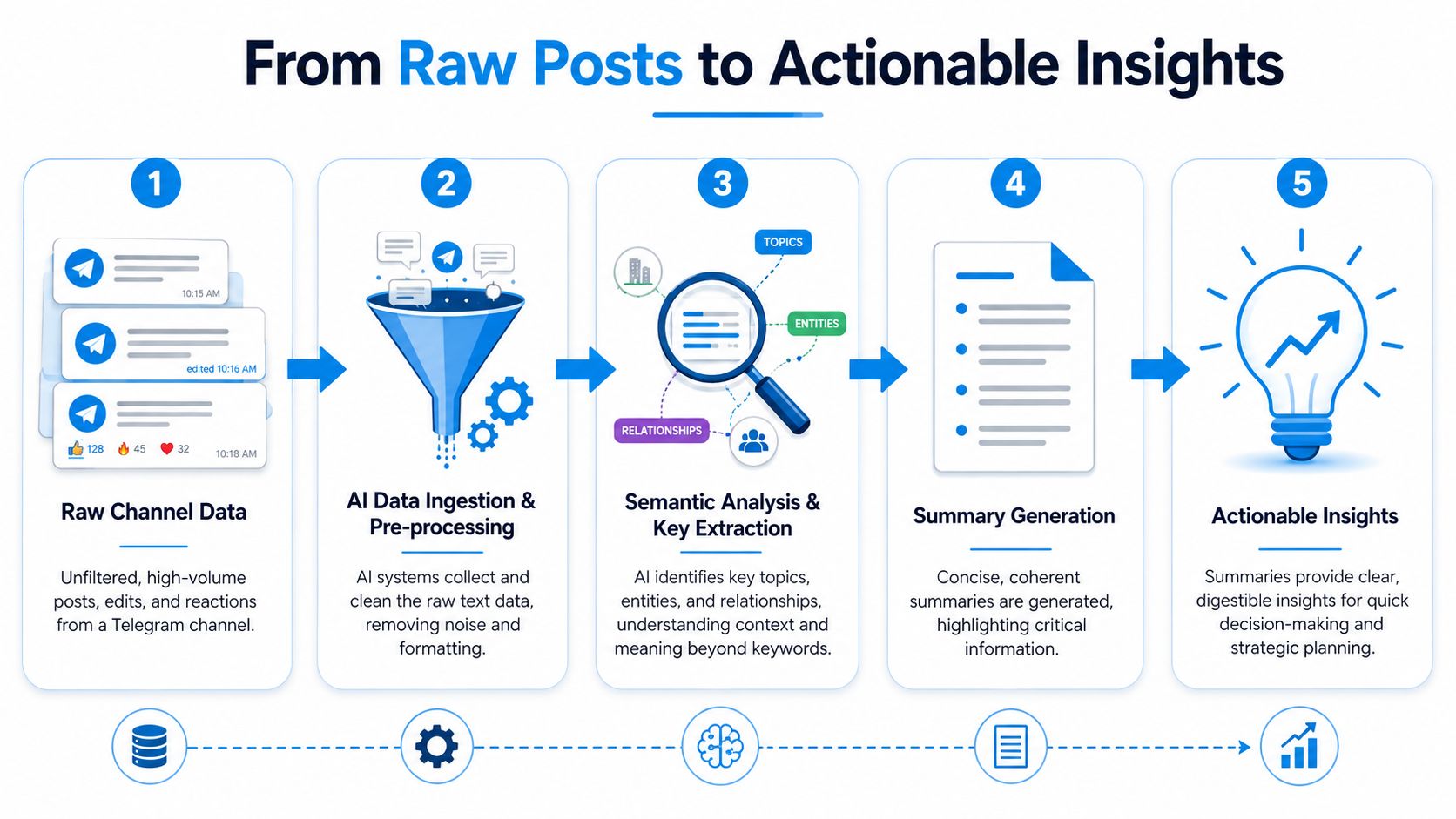
The signals that matter. Telegram analytics are built around followers, follower growth, views, forwards, and reactions. Views include re-reads; forwards and reactions are stronger indicators of active engagement (Telegram channel analytics guide). A good model shouldn't treat every post equally — if one triggered a visible shift in engagement, it should carry more weight in the recap.
A reliable pipeline works like this:
- Collect the full post stream — including version history, edits, and deletions
- Rank posts by significance — using engagement and growth context, not just wording
- Cluster related themes — so the summary doesn't read like a disconnected list
- Write the brief around change — what dominated, what drove engagement, what needs follow-up
- Flag anomalies for review — edited or deleted posts that deserve a second look
What works: summaries tied to engagement signals, time-bounded windows, version-aware analysis that distinguishes a stable message from a revised one. What doesn't: pure text shortening with no metric layer, chronological bullet dumps, and single-pass snapshots that ignore edits and deletions.
If you need to prepare source material before analysis, see how to export Telegram chat data.
The Four Ways to Get One
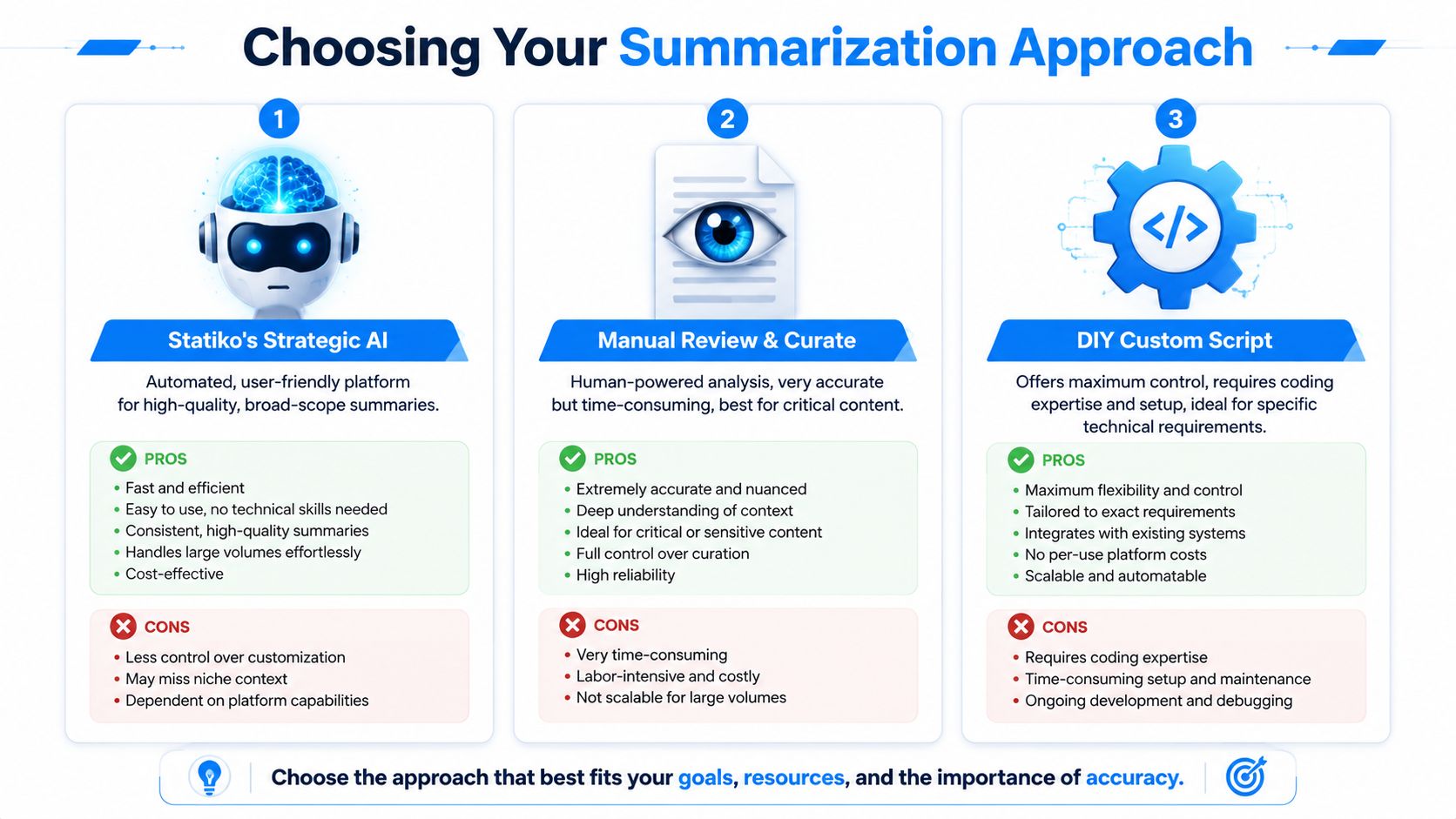
| Method | Best for | Strength | Main limitation |
|---|---|---|---|
| Native Telegram AI | Reading one long post | Instant, zero setup | No channel history, no trend view |
| Monitoring platform | Recurring channel intelligence | Preserved history, scheduled recaps | Public channels only |
| No-code automation | Narrow keyword digests | Custom routing and delivery | Collection layer is fragile |
| DIY pipeline | Bespoke research questions | Full control over every stage | You own the maintenance forever |
Native Telegram AI
A convenience feature, and a good one. Independent reviews put accuracy around 78% on neutral content, with weaker performance on nuanced or emotionally charged text, and it can't summarize a channel's history or spot longer-term trends (analysis of Telegram AI summaries). Use it for triage inside the app. Don't build a reporting workflow on it.
A monitoring platform
The lowest-setup route to a real recap: pick the channels you care about, choose a window matching your reporting cycle, and generate. You get key topics, top-performing posts, engagement shifts, and anomalies like deletion spikes — then schedule delivery so it arrives without you asking.
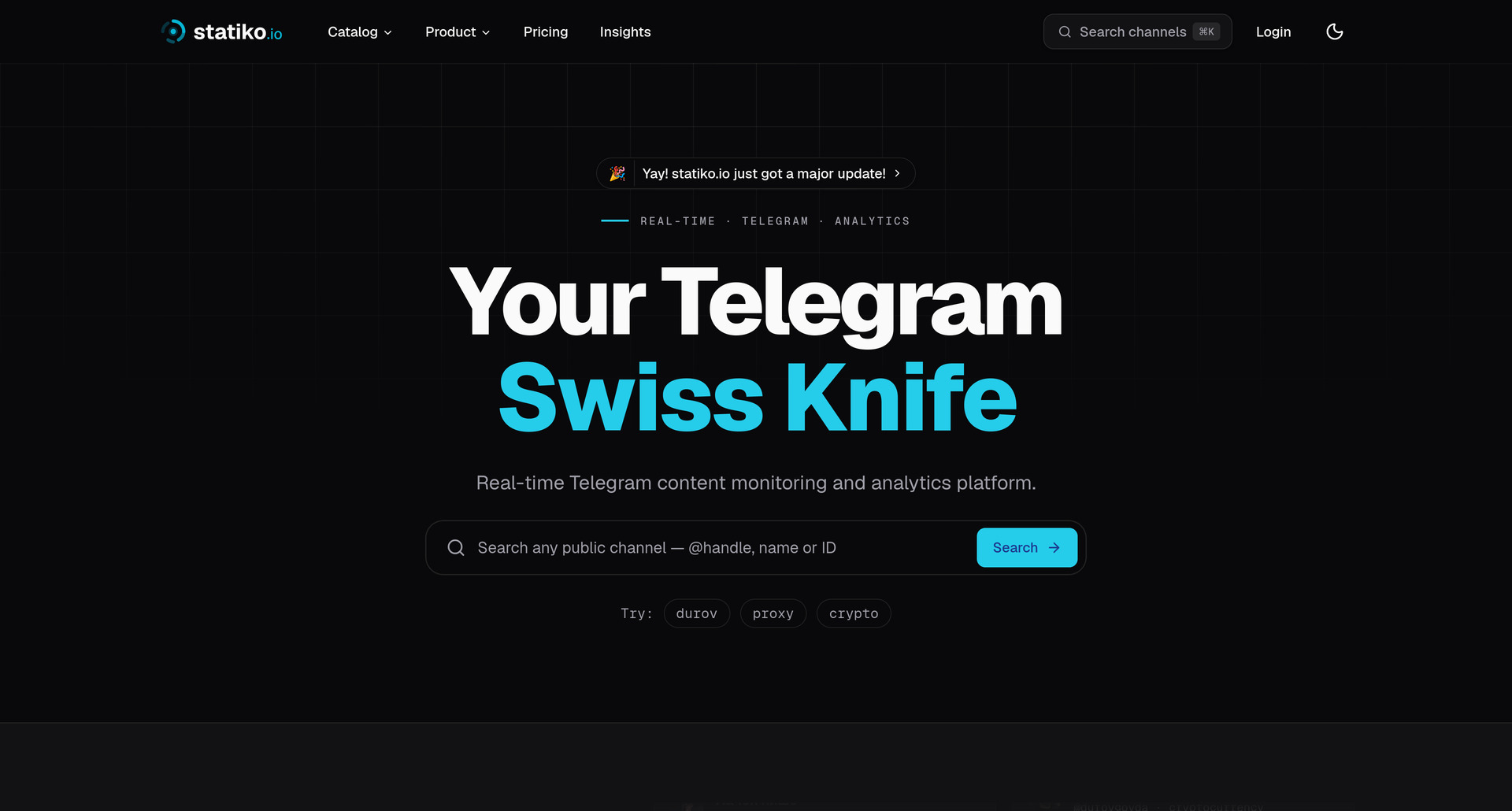
This is where the public/private boundary does real work. Statiko monitors any public channel without ownership, login, or permission, preserves edit and deletion history from the moment monitoring starts, and generates recaps over selected periods. No private channels, no groups, no DMs — a limit for closed-community work, a clean privacy line for everything else.
No-code automation
If you already run Zapier or Make across your stack, you can assemble a digest: a bot observes messages, a router filters by keyword or channel, results accumulate in Sheets or Airtable, and a scheduled step emails the pile.
Zapier is easier to pick up; Make gives you routers, branches, and iterators that handle message-heavy workflows better. Either way, the email step isn't what breaks — the collection layer is. Bots miss message sources, over-filtering drops posts with different wording, under-filtering floods the digest, and long posts with captions mangle the formatting. Most setups start clean and get messy as exceptions pile up.
RSS is the older version of the same trade-off. Generate a feed from a public channel with a bridge tool, pipe it into Mailchimp or ConvertKit. Portable, standardized, and low-friction — but RSS republishes content, it doesn't interpret it. If a post is edited or removed after the feed captures it, your digest keeps the stale version.
Both are fine for a narrow digest — only posts mentioning a product name, a wallet address, a campaign tag. Skip them if you want something that reads like a briefing.
A DIY pipeline
Full control, and every operational headache that comes with it. A common setup creates a bot through BotFather, fetches messages with python-telegram-bot, applies NLP with spaCy or Transformers, and runs on a schedule. One documented n8n workflow triggers every 90 minutes, extracts content with Playwright, and summarizes with a GPT-class model (DIY Telegram summarization discussion).
Four stages, in this order:
- Access the data. Public channels are straightforward; private environments have access boundaries to respect.
- Store raw messages. Keep IDs, timestamps, and content snapshots so you can rerun prompts later.
- Preprocess. Strip noise, normalize formatting, chunk long posts by meaning, group related posts before summarizing.
- Generate structured output. Don't ask for "a summary" — ask for explicit fields: main topics, notable claims, items requiring review.
Get reliable collection working before anything else. If the feed is incomplete, everything downstream is compromised, and no amount of prompt engineering fixes it.
Three things decide output quality. Prompt for the decision, not the text — an executive recap asks what changed since last period, a risk review asks for controversial claims and posts meriting manual review. Preprocess so the model sees signal instead of link soup and emoji. And treat model choice as a trade-off: cheaper models handle routine monitoring, stronger ones earn their keep on nuanced or adversarial material. A hybrid — cheap first-pass compression, strong model or human review for anything that influences a decision — is usually the practical answer.
Seven Recap Formats Worth Building
Once you can generate a recap, the question becomes what shape it takes. Match one format to one bottleneck rather than building all seven.
1. Daily digest. One dependable touchpoint with the last 24 hours, structured in three layers: lead story, must-know updates, quick-scan section. Lead with importance, not chronology. Acknowledge corrections instead of quietly swapping interpretations. The failure mode is the repost pile — if readers feel they're reading the same feed twice, they skip it.
2. Weekly highlights. Seven days compressed into a ranked package. Four slots work well: top performer by distribution, highest-discussion item, highest-importance update, and one underseen post worth rescuing. That last slot is where engagement data beats intuition — a post with modest reach but strong forward velocity may belong ahead of a louder, emptier one.
3. Theme-based. Organize around three to five stable categories — Markets, Regulation, Product, Community — instead of one timeline. If a story fits three categories every week the taxonomy is too loose; if editors need a glossary, it's too detailed. Once categories hold steady, you can see which themes reliably earn forwards and which collect passive views.
4. Edits and deletions spotlight. Most channels treat changes as something to hide. That's backwards. If a claim changed materially, a deleted post mattered, or multiple edits clustered around one event, that's the story. Frame it as "notable updates and withdrawals," not an accusation — and don't log typos, or readers stop trusting the signal.
5. Engagement anomalies. A post behaves nothing like baseline. The question isn't whether it went viral, it's why. Compare early view velocity, forward rate, and whether attention came from adjacent communities rather than your usual subscribers. After three or four cases you can sort anomalies into buckets — timing wins, packaging wins, network effects, news-cycle momentum — and use that to pick formats and posting windows with actual discipline.
6. Comparative competitive intelligence. Three channels covered the same story at 9 a.m. One published first, one had the clearest source trail, one made it scannable. Compare a tight peer set on four points: speed with context, story selection, packaging, follow-through. End with decisions, not observations.
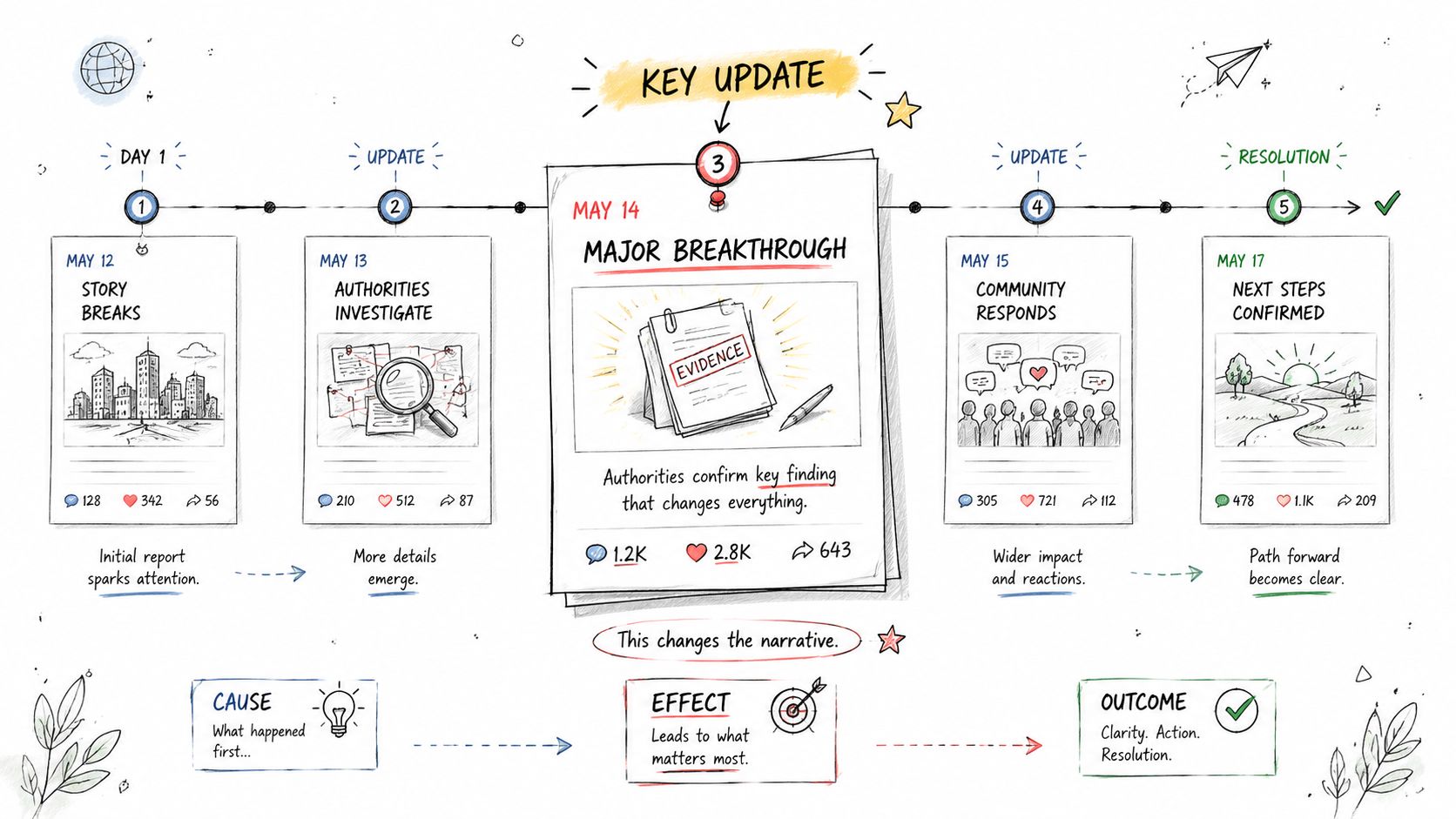
7. Story timeline. For protocol exploits, legal disputes, policy fights, and reputation crises. Reconstruct the arc around turning points, not chronology: the first post that drew unusual attention, the post that introduced a new fact, the correction that reset the narrative, the update that settled or reopened it. Filter hard — keep only updates that changed the story's meaning.
Scheduled Delivery: Turning Recaps Into a Habit
A recap you have to remember to generate isn't a workflow. The point of scheduling is that the digest arrives whether or not you thought to ask.
Alerts and digests solve different problems, and most setups conflate them. Alerts are for when you need to act immediately. Digests are for pattern recognition and prioritization. If every notable event fires a notification, you've rebuilt the overload somewhere else.
| What you need to know | What the digest should show |
|---|---|
| What happened | Key topics and notable posts |
| What changed | Edits, deletions, unusual behavior |
| What mattered | Messages worth clicking into |
| What to do next | Clear follow-up priorities |
Cadence follows channel speed: daily for fast-moving feeds, weekly for broad monitoring, campaign-window for anything tied to a launch. The test is simple — if your digest still requires reading every message it includes, it isn't saving you time.
Reading the Output Like an Analyst
Treating an AI summary as a neutral final answer is a mistake. It's a model output shaped by available data, ranking logic, and missing context.

Check top themes against engagement patterns. If the summary says a topic dominated but the signals don't support it, the model probably overweighted posting frequency. Investigate every reference to an edit or deletion — in competitive intelligence those often matter more than the original text. Separate broad resonance from isolated spikes. The summary should narrow your reading list, not replace your judgment.
Where accuracy breaks. AI still struggles with sarcasm, coded language, and channel-specific in-jokes. The larger issue is change tracking: for fast-moving channels the key question is whether the summary surfaces edits and deletions, and simpler tools miss it entirely because they only condense message volume (Telegram summarization and change detection). A deleted post can indicate cleanup, correction, or risk management. The summary points you there; the judgment is still yours.
Privacy is narrower than people assume. These tools work on public channel data only — no private channels, groups, or DMs. Responsible practice means public-only monitoring, clear internal rules on what you collect, and human review before anything that influences moderation or reputational decisions. If your work involves investigations, the Telegram OSINT guide forces you to think in terms of evidence, provenance, and repeatable checks.
What to Look For in a Tool
The right first question isn't whether a tool can summarize Telegram channels. Many can. The better question is whether it summarizes in a way an analyst can trust.
| Capability | Why It Matters | Look For |
|---|---|---|
| Engagement-aware ranking | Text alone can't tell you which posts mattered | Views, forwards, reactions, growth context |
| Custom time windows | Fixed summaries hide shifts across periods | Day, week, campaign, or event window |
| Edit history tracking | Revised posts can change the meaning of the record | Access to prior versions of messages |
| Deletion tracking | Removed posts may be central to the story | Explicit alerts or flags for deleted content |
| Topic clustering | Raw lists are hard to act on | Grouped themes instead of post-by-post dumps |
| Source traceability | You need to verify claims quickly | Click-through from summary to original post |
| Cross-channel comparison | Competitive work rarely happens in one channel | Side-by-side recaps or comparable topic views |
| Scheduled delivery | Manual checking creates blind spots | Digest workflows on a repeatable cadence |
Before committing, get answers to four questions:
- Can it show me what changed after posting?
- Can it summarize a precise period instead of an open-ended feed?
- Can I inspect the posts behind the claims?
- Does it compare significance, not just summarize volume?
If any answer is vague, the summary works for casual reading and falls short for professional analysis. For the wider tool landscape, see the best Telegram channel monitoring tools.
FAQ
Can I summarize a channel I don't own? Yes, if it's public. Channel-level recaps don't need admin access or ownership — that's what makes competitor monitoring and research possible. Private channels, groups, and DMs are off-limits.
How far back can a recap go? Only as far as the record goes. Telegram's native stats are admin-only and cover a rolling seven-day window. A monitoring platform can only show you edits and deletions from the moment it started watching the channel — so add channels before you need the history, not after.
Is Telegram's built-in AI summary enough? For one long post, yes. For tracking a channel over weeks, no. Native summaries have no memory of what the channel published last month and no way to tell you a post was quietly reworded.
How is a recap different from an alert? An alert tells you something happened right now. A recap tells you what a period added up to. Use alerts for events that need action within the hour and recaps for everything else, or you'll drown in notifications again.
Does the top-performing post belong at the top of the recap? Not necessarily. A deletion wave or a reworded headline can carry more signal than the post with the most reactions. Rank by consequence, not popularity.
What accuracy should I expect? Around 78% on neutral content by independent measures, lower on sarcasm, coded language, and emotionally charged material. Treat the output as a filtered reading list, and verify anything that drives a real decision.
If you want a practical way to monitor public Telegram channels, compare them over time, and review AI recaps with edit and deletion history in view, take a look at Statiko. It's built for public-channel analysis, so you can move from noisy post streams to evidence-based insight faster.
Related posts

The complete guide to monitoring Telegram channels — the three layers of monitoring, building a watchlist, alerting without fatigue, and 10 tools compared.

Unlock growth with our guide to Telegram channel analytics. Learn to track key metrics, analyze competitors, and make data-driven decisions for your channel.

Master Telegram OSINT with our 2026 guide. Learn profile discovery, channel analysis, network mapping, and the best tools for open-source intelligence research.
Start in seconds.
Create a free account to organise channels, track activity, and get recaps delivered to you.
Real-time. Telegram. Analytics.