Telegram App Security: An Unfiltered 2026 Guide
A deep dive into Telegram app security. Understand the real risks of cloud vs secret chats, common threats, and how to truly protect your account and channel.
Most Telegram security advice stops at "use Signal instead." That may be right for certain threat models, but it dodges the question millions of people actually have: if you're already on Telegram, how do you use it without getting burned?
Telegram isn't one thing. It's a messenger, a public broadcasting platform, a bot ecosystem, a community layer, and — for a lot of admins — a business asset. Its security depends less on the logo on your home screen than on which features you use, what you assume is private, and how disciplined you are about account hygiene.
One fact does most of the work here: Telegram does not protect every conversation the same way. If you don't know whether a chat lives in Telegram's cloud or is encrypted end-to-end between devices, you're making security decisions blind.
So start with the trust model, then defend against the threats that actually show up in the wild: scams, stolen login codes, sloppy admin practices, and careless bot permissions.
Rethinking Telegram App Security
"Telegram is secure" hides the trade-off. The app uses strong cryptographic components, but that doesn't mean every conversation is private by default, or that your main risk is somebody breaking the encryption.
For most users, Telegram app security is conditional. It depends on whether you're in a default cloud chat or a manually started Secret Chat. It depends on whether your account can be hijacked with a stolen code. It depends on whether you click a fake support message or hand a bot more access than it needs.
What most people get wrong — they assume Telegram works like apps that enforce end-to-end encryption everywhere. Telegram's design prioritizes flexibility, syncing, large communities, and cross-device access. Those features are genuinely useful, and they come with consequences.
Practical rule: Don't ask only "Is Telegram safe?" Ask "Which Telegram feature am I using, and who holds the keys?"
The question that matters
If you use Telegram regularly, you should be able to answer two things without guessing:
- Where is this conversation stored?
- Who can technically access it besides the participants?
If you can't, you're relying on branding rather than security judgment. A public channel you follow, a casual group chat, a sensitive one-to-one conversation, and an admin account controlling a large channel should not all be treated the same way.
The Two Telegrams Explained
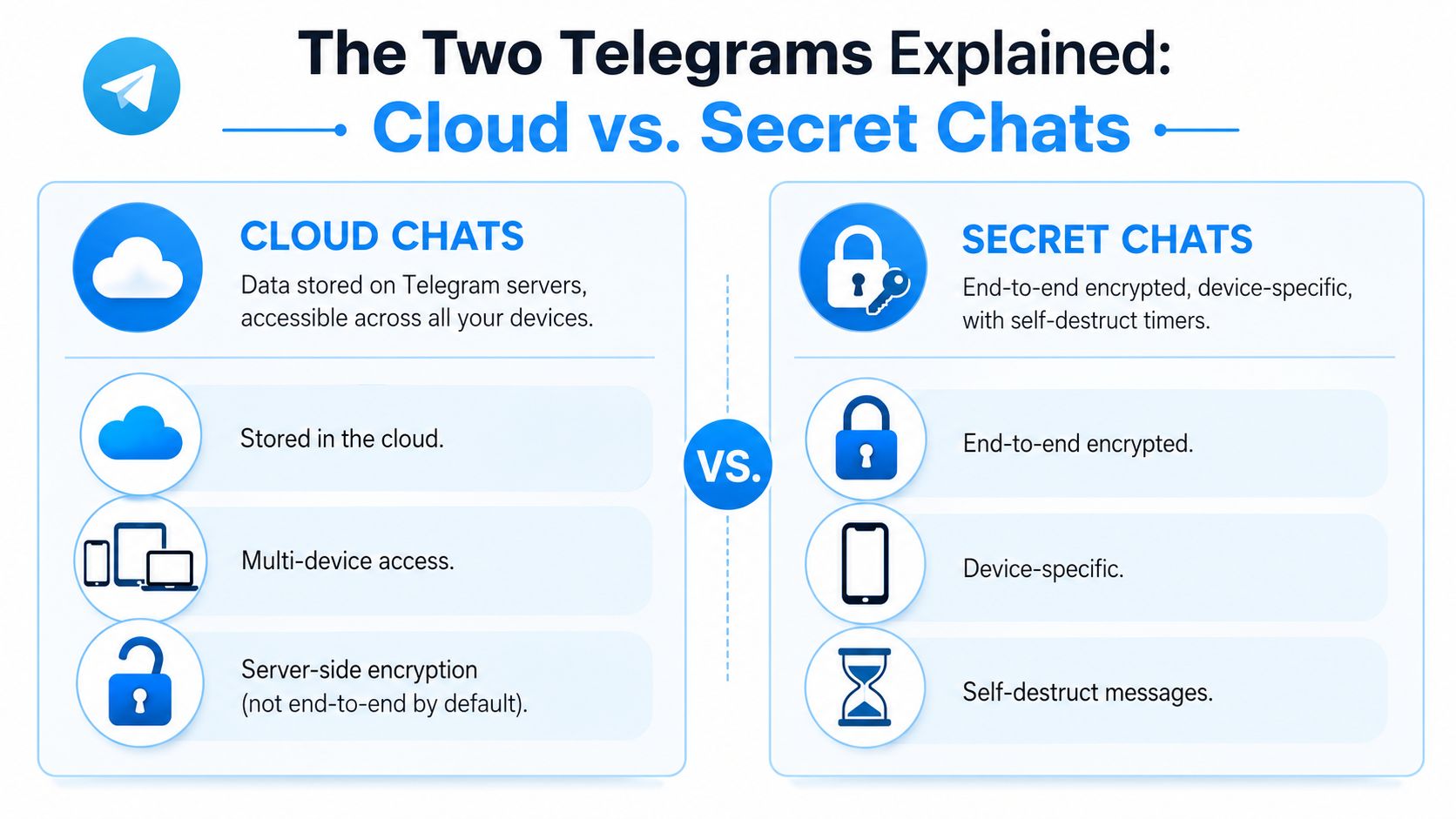
Telegram makes more sense once you stop treating it as a single security model. There are two Telegrams: the one built for convenience and synchronization, and the one built for tighter privacy in a narrow setting.
Cloud Chats are a bank vault where the bank manages access and holds a master key. Secret Chats are a personal safe where only the two people involved hold the key. Both feel secure. Only one is designed to keep the service provider out.
Cloud Chats and what convenience costs
Telegram's default chat system uses client-server encryption through MTProto 2.0, with AES-256, SHA-256, 2048-bit RSA, and Diffie-Hellman key exchange. The issue isn't weak transport protection: Telegram's servers decrypt and store readable message content in default chats. ESET lays this out in its explanation of Telegram privacy and cloud chat architecture.
That design is exactly why your history syncs so smoothly from phone to desktop to tablet. It's also why default one-to-one chats, groups, and channels shouldn't be filed alongside end-to-end encrypted messaging.
Secret Chats and what they don't do
Secret Chats are Telegram's real end-to-end encrypted mode. The decryption keys stay on user devices rather than on Telegram's servers, which changes the trust model completely. They also come with hard limits:
| Chat type | Key holder | Multi-device sync | Groups and channels |
|---|---|---|---|
| Cloud Chats | Telegram can decrypt on its servers | Yes | Yes |
| Secret Chats | Only participating devices | No | No |
That last column matters. Secret Chats are limited to 1:1 conversations. They don't cover group discussions, channel broadcasts, or the admin workflows many Telegram users live in every day.
What this means in daily use
If a conversation is sensitive, don't assume the default chat view gives you the strongest protection Telegram offers. It doesn't. You have to choose Secret Chat deliberately and accept what it costs you.
The public layer raises a different set of concerns than private messaging, which is why guides on Telegram OSINT workflows look nothing like secure-messaging guides. The platform serves several use cases at once, and its safeguards aren't uniform across them.
Common Threats Beyond Encryption
People who lose something on Telegram rarely lose it because someone cracked advanced cryptography. They lose because they trusted the wrong message, shared a login code, added a risky bot, or handed a bad actor control of an admin account.
The scams users actually face
A typical Telegram scam starts with urgency. A message claims to be from support, a project admin, a moderator, or a giveaway account, and asks you to verify a code, connect a wallet, or log into a lookalike page. Comply and the attacker never has to break Telegram — you gave them the access.
The pattern repeats across crypto communities, fan groups, and business channels. Fake support accounts copy profile photos and naming styles. Fraudsters automate replies with bots and funnel targets into private chats. A compromised account then spreads the same lure to trusted contacts.
McAfee's review of Telegram's main user-facing security threats puts the biggest risks at user-targeted scams: crypto fraud, phishing messages, and account takeovers that rely on stolen verification codes or SIM-swap attacks. The same piece notes that Telegram updated its policies to cooperate with law enforcement by disclosing users' phone numbers and IP addresses on a valid court order.
Metadata still tells a story
Even when message content is protected in transit, metadata exposes patterns. Who talks when, from where, and through which device is useful to investigators, advertisers, hostile networks, and anyone analyzing traffic.
Wire flags a specific MTProto issue in its discussion of Telegram as a security or surveillance tool: every encrypted message carries an unencrypted auth_key_id field that, combined with network analysis, can reveal a user's IP address and approximate location to anyone monitoring traffic.
Privacy isn't only about message text. It's about the trail around the message.
Public channels add a different kind of risk
Channels and groups create platform-level exposure that private messengers don't have. Admin accounts get hijacked. Malicious bots scrape posts, auto-reply with scams, or accumulate permissions nobody audits. One compromised admin rewrites the trust relationship for an entire audience.
Be skeptical of authority signals inside Telegram. A familiar channel name, an official-looking logo, or a message posted in a group you trust proves nothing. Attackers here win by borrowing trust, not by breaking code.
How to Lock Down Your Personal Account
If you do only one thing to improve Telegram app security, harden the account. Most successful attacks on regular users target the account, not the encryption layer.
Build takeover resistance first
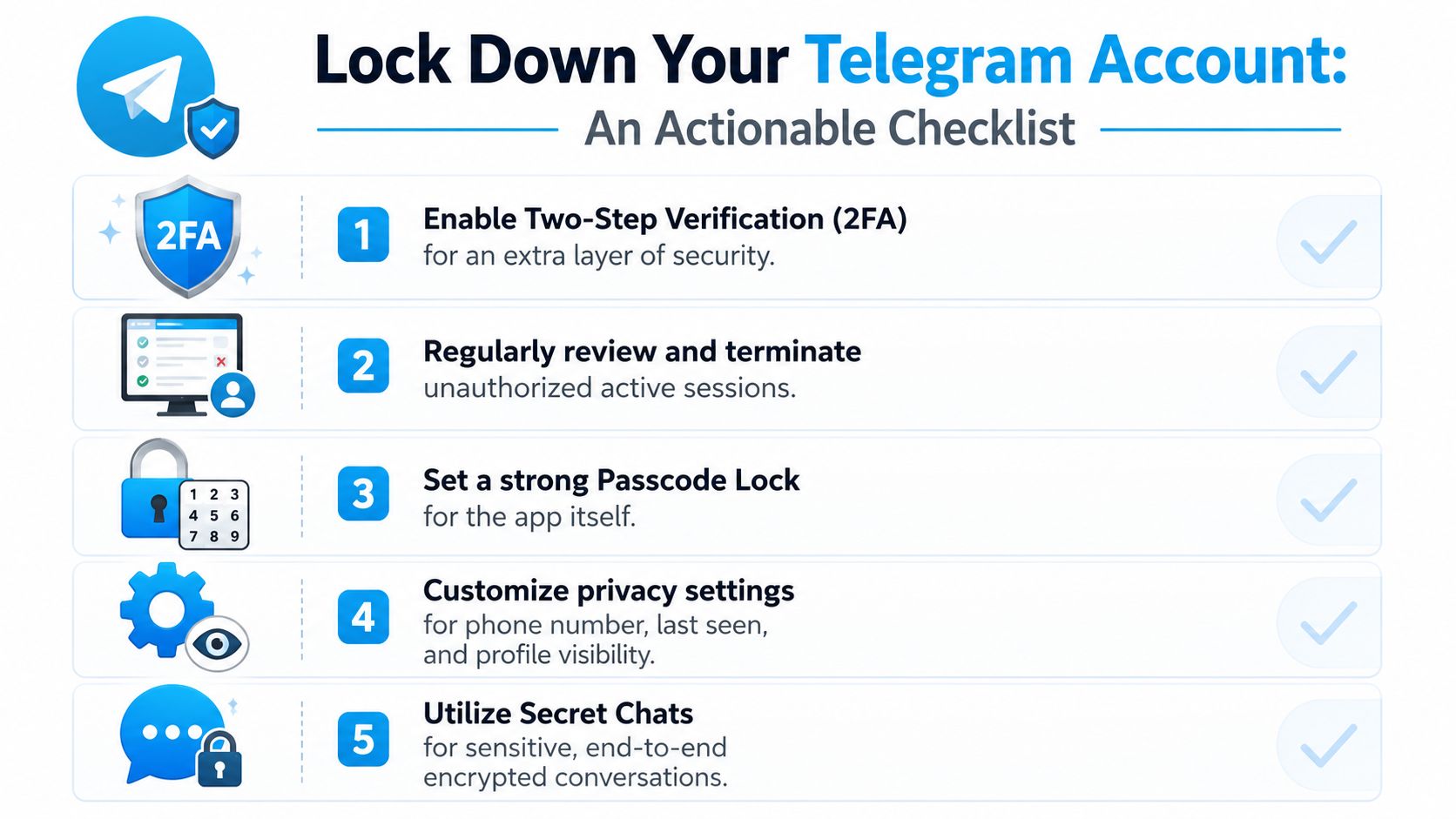
Enable Two-Step Verification with a strong password and a recovery email. This is the single highest-value setting for most users: it blocks the common path where someone intercepts your SMS code or ports your number through a SIM swap. Without the extra password, that stolen code is enough on its own. With it, the attacker hits another barrier.
Then set an app passcode lock. It does nothing for network-level privacy, but it handles the far more ordinary problem of somebody picking up a phone that isn't secured.
Research on free OTP bot abuse on Telegram is worth reading here. It shows how attackers industrialize verification-code theft and social engineering at scale.
Audit your sessions and privacy settings
Telegram lets you inspect active sessions and terminate the ones you don't recognize. If you've ever logged in on a borrowed machine, an old desktop, or a device you no longer control, start here.
- Review active sessions: terminate anything with a device or location that doesn't make sense.
- Limit phone number visibility: fewer people seeing your number means less targeting and correlation.
- Restrict group adds: don't let strangers pull you into groups by default.
- Trim profile exposure: check your profile photo, last-seen visibility, and who can contact you.
A walkthrough of the settings in action:
Use Secret Chats for the right cases
Not every conversation needs the extra friction, but some do. If the topic is sensitive, switch instead of assuming the default thread is secure enough. And remember the auth_key_id problem above: message privacy, metadata privacy, and account security are related, but they aren't the same thing, and Secret Chat only solves the first.
One hard truth: the strongest Telegram setting won't save you if you send your login code to a fake admin.
Skepticism is a security feature. Treat unsolicited help, recovery instructions, urgent warnings, and "exclusive" access links as hostile until you verify them somewhere else.
Securing Your Public Telegram Channel
Running a channel changes your threat model. You're no longer protecting only your own chats — you're protecting an audience, a brand, an archive, moderation workflows, and every admin permission attached to the channel. That makes channel security an operational discipline problem.
Admin control is the real attack surface
Bad channel incidents usually start with an account that had too much power. One admin gets phished. Another reuses a weak password somewhere else. A contractor keeps privileges long after the campaign ends. Then posts vanish, links get swapped, scam promotions appear, or ownership quietly changes hands.
The fix is boring, which is why teams skip it:
- Least privilege: each admin gets only the permissions they need.
- Reduce owner exposure: don't leave a casually managed personal account as the crown-jewel owner.
- Remove stale admins fast: old collaborators, agencies, and temporary moderators shouldn't linger.
- Separate duties: whoever writes content rarely needs the power to add bots, delete history, or appoint admins.
Bots need the same scrutiny as staff
A useful moderation bot is also a quiet source of overreach if nobody checks what it can read, post, edit, or delete. Before you add one, ask:
| Question | Why it matters |
|---|---|
| What permissions does the bot need | Extra rights create unnecessary blast radius |
| Who operates the bot | You're trusting an external maintainer with channel access |
| What happens if the bot is compromised | A bot can become a distribution path for scams or spam |
| Can you replace it easily | Dependency without visibility is a long-term risk |
If spam management is part of your workflow, a guide to choosing a Telegram anti-spam bot helps frame what "safe enough" should mean before you grant permissions.
Monitoring matters after the breach too
Some channels only find out they were compromised when followers complain. That's too late. Public channels need monitoring that surfaces edits, deletions, and unusual posting patterns fast.

Telegram hosts serious financial activity, not just casual chatter. McAfee reported that in May 2025, two marketplaces operating on Telegram had facilitated over $35 billion in stablecoin transactions. Wherever a channel touches money, reputation, or valuable information, the incentive for abuse rises sharply.
For admins, that shifts the standard. Security isn't only about preventing unauthorized access. It's about preserving an auditable record of what was posted, what changed, and whether odd moderation activity signals account abuse from inside the house.
The Verdict on Telegram Security
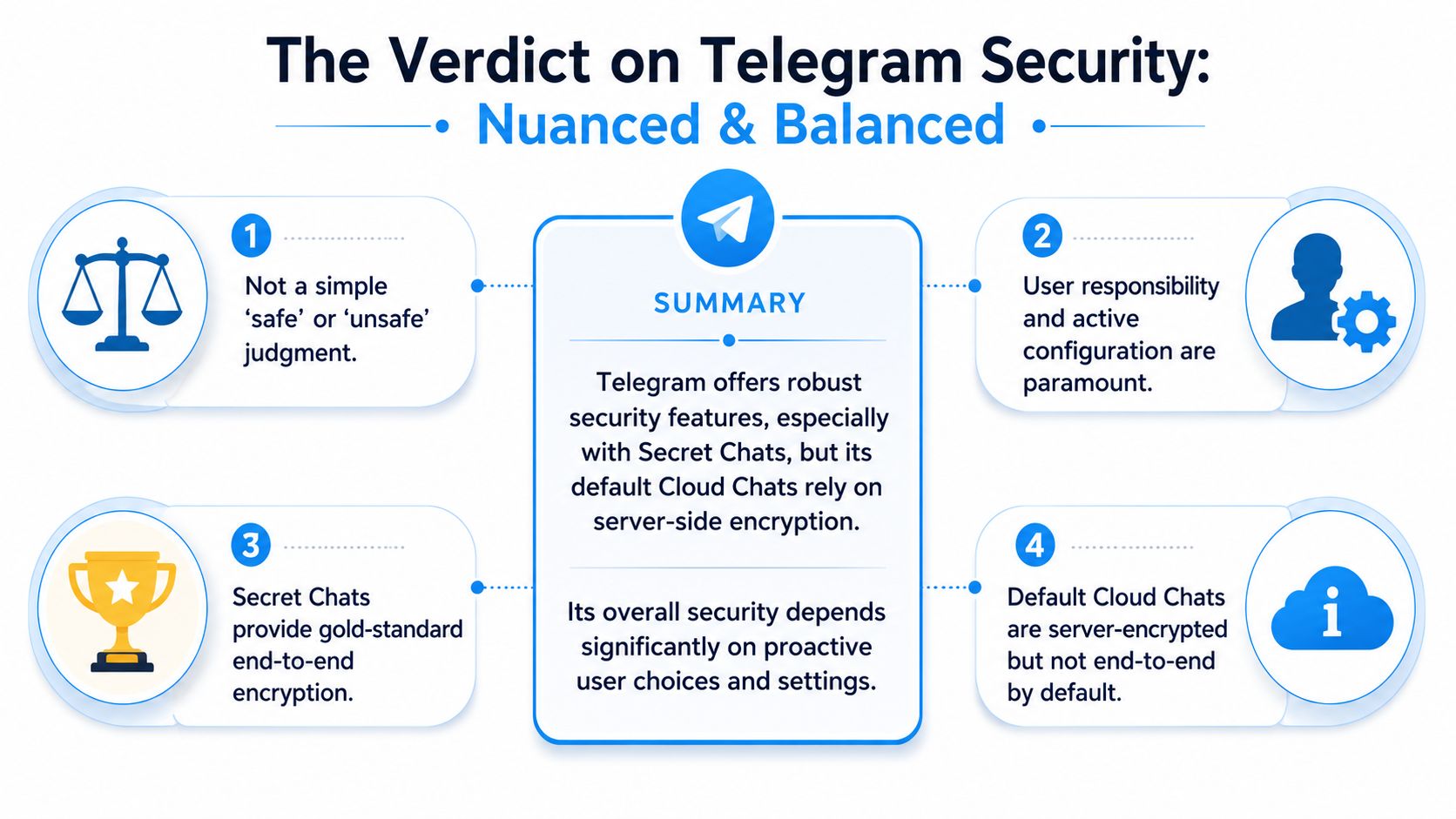
Telegram isn't safe or unsafe. It's selectively secure, and that distinction is the part most people miss.
For public channels, broad communities, media distribution, and low-sensitivity conversation, it's practical and effective. For private communication without understanding the defaults, it's easy to assume more protection than you have. For channel operators, the real risks are account compromise, admin overreach, and bot abuse rather than theoretical cryptography debates.
A balanced judgment — Telegram gives users real security tools and then makes them choose those tools. The convenience-first design works well for syncing, broadcasting, and community growth, but privacy isn't bundled evenly across features.
The practical takeaway
- Public and community use: Telegram is powerful.
- Sensitive one-to-one discussions: Secret Chats are the stronger option.
- Everyday account safety: two-step verification and session reviews do more immediate work than abstract encryption arguments.
- Channel admins: operational security is the whole game.
Security on Telegram is less about blind trust in the app and more about matching the right settings to the right job. Not a marketing promise, not an app ranking — a set of trade-offs you can manage once you understand them.
FAQ
Is Telegram end-to-end encrypted by default? No. Default cloud chats use client-server encryption, and Telegram's servers can decrypt and store the content. End-to-end encryption applies only to Secret Chats, which you have to start manually on a mobile device.
Are Telegram groups and channels encrypted end-to-end? No. Secret Chats are limited to one-to-one conversations. Every group, supergroup, and channel is a cloud chat, so treat anything posted there as stored in readable form on Telegram's servers.
Can someone hack my Telegram account without my password? The common path isn't hacking, it's a stolen login code taken through phishing or a SIM swap. Two-step verification adds a password on top of the SMS code and closes that path. Enable it before anything else.
Does Telegram share user data with law enforcement? Yes, under a valid court order. McAfee notes that Telegram updated its policies to disclose users' phone numbers and IP addresses when legally compelled.
How do I know if my Telegram channel has been compromised? Watch for posts you didn't publish, edits you didn't make, messages that disappear, unfamiliar admins, and newly added bots. Telegram keeps no visible edit or deletion history, so external monitoring is usually how admins spot deleted posts and unusual activity in time to react.
Is Telegram safer than WhatsApp or Signal? Signal and WhatsApp encrypt everything end-to-end by default, and Telegram doesn't. For a sensitive one-to-one thread, a Secret Chat is comparable. For everything else, Telegram trades confidentiality for sync, scale, and public broadcasting.
If you manage or analyze public Telegram channels, Statiko helps you see what changed over time. You can track edits, deletions, growth patterns, posting behavior, and unusual anomalies across public channels without needing channel ownership or login access. For admins, researchers, and teams that care about transparency and accountability, that visibility fills a gap Telegram itself doesn't surface well.
Related posts

Master Telegram OSINT with our 2026 guide. Learn profile discovery, channel analysis, network mapping, and the best tools for open-source intelligence research.

Searching for a free otp bot telegram? Discover the major security risks, how common scams work, and find safer authentication alternatives for users in 2026.

Telegram anti spam bot - Protect your Telegram channel with an anti spam bot. Our guide covers setup, configuration, advanced rules, and monitoring for a
Start in seconds.
Create a free account to organise channels, track activity, and get recaps delivered to you.
Real-time. Telegram. Analytics.