How to create telegram channel: The 2026 Guide
Discover how to create telegram channel for 2026. Our guide covers setup on mobile/desktop, public vs. private, first posts, and analytics for growth.

The appeal of a Telegram channel is simple: you publish, subscribers get the post. No algorithm deciding who sees it.
But most setup guides stop at the mechanics — tap New Channel, pick a name, done. That creates a channel. It doesn't create one people trust or stay in.
For context on where the platform is heading, the State of Telegram 2025 is worth a quick read first.
Public vs. Private: Decide Before You Create
This is the biggest structural choice. It shapes discovery, growth, and how you manage access.
Public channels are discoverable via Telegram search and shareable via a permanent t.me/username link. Right for brands, creators, publishers, and anyone building toward organic reach. Public channels average 15% weekly subscriber gain versus 4% for private ones without external promotion.
Private channels restrict access to invite links only. Right for paid communities, internal teams, and cohorts where controlled access is the product.
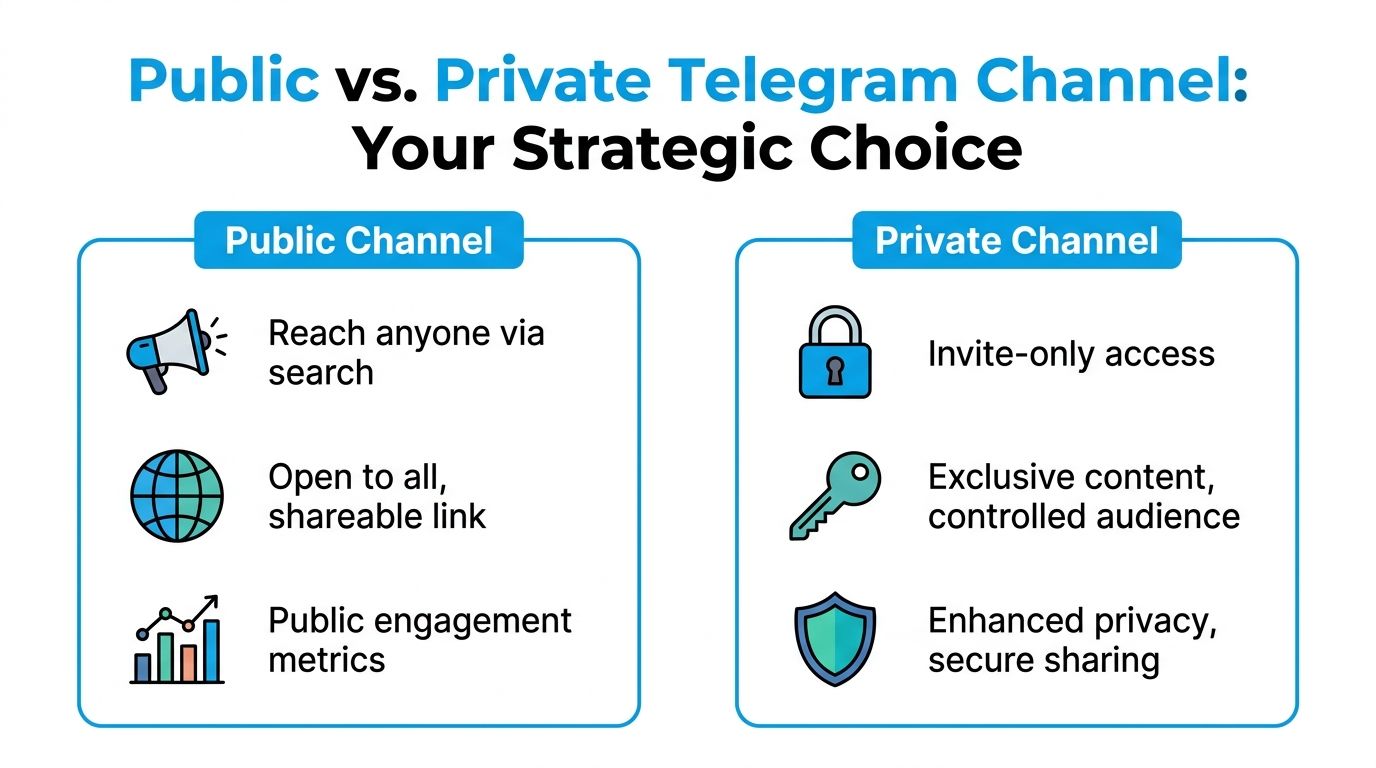
| Feature | Public | Private |
|---|---|---|
| Discoverability | Searchable | Not searchable |
| Link type | Permanent t.me/username |
Revocable invite link |
| Best for | Brands, creators, open communities | Paid access, internal teams |
| Growth model | Organic + promotion | Promotion or direct invite |
Choose public if growth matters. Choose private if exclusivity is the product.
Setup: What Actually Matters
On mobile, tap the pencil icon from the Chats tab. On desktop, use New Channel from the main menu.
Name — Specific beats clever. If someone can't tell what the channel is from the name alone, you're making discovery harder. For naming frameworks by use case, see 10 Telegram channel names that attract an audience.
Description — State your topic, audience, and posting cadence. Limited space, so use it. For more detail, see how to write a Telegram channel description.
Avatar — 512×512px for clean rendering.
Username — For public channels, claim a clean t.me/ handle. If your brand term is taken, pick a shorter variation. Don't patch it with underscores or random numbers — it signals a workaround, not a brand.
Telegram lets you add up to 200 contacts during setup. Only add people who'd actually want in. A smaller, relevant starting audience gives cleaner feedback than a padded one.
Before You Invite Anyone
An empty channel converts badly. Post at least four things before you share the link publicly:
- Welcome post — what the channel covers and who it's for
- Sample post — the format subscribers will see regularly
- Value anchor — something immediately useful: a checklist, digest, or framework
- Pinned message — write it for someone who joined 30 seconds ago, not your existing audience
The pinned message is permanent orientation. It should link to your best content and answer the basic questions immediately. Don't replace it with every new update.
Admin Settings Worth Getting Right
Permissions — Don't over-delegate. Give content admins posting access, moderation admins invite and safety control, keep core settings with the owner. Over-broad permissions are where most early channel problems originate.
Reactions — Turn them on. Channels with reactions enabled average 22% higher views. Low-cost signal worth having.
Invite links — Create separate links per campaign or distribution source. The simplest way to see which placements bring in subscribers who stay versus those who churn. See Telegram invite link for a full breakdown on using them for attribution.
Signatures — On if multiple admins post and named voices add value. Off for institutional channels.
Analytics: What to Measure and When
Telegram's native analytics require 1,000 followers before they unlock. Before that threshold, you're guessing without external tools.
The built-in dashboard covers subscriber trends, post reach, view sources, and engagement over 10 days to 6 months. Solid for ongoing monitoring. It doesn't track edit history or deletions.
For earlier-stage channels, Statiko tracks edit and deletion history, subscriber growth, and competitor performance without any follower floor. The Telegram channel analytics overview covers more options.
Once you're tracking, watch for:
- Which posts coincide with subscriber growth or churn
- Which formats consistently get better reach
- Whether edits and deletions are becoming a visible pattern
- Which invite sources bring in people who actually stay
Once you have the basics in place, how to use Telegram channels covers the full operating model — publishing pipelines, content templates, automation, analytics, and legal basics. For positioning and a 90-day growth approach, see the how to grow Telegram channel guide. If you're building a news-focused channel specifically, this guide to Telegram news channels covers niche positioning, editorial discipline, and transparency practices.
If you want to monitor public Telegram channels, compare competitors, and track edits, deletions, and growth patterns in one place, try Statiko. It is built for public-channel transparency and analytics, which makes it useful both when you are launching a new channel and when you are trying to understand why an established one is gaining or losing momentum.
Related posts

Unlock growth with our guide to Telegram channel analytics. Learn to track key metrics, analyze competitors, and make data-driven decisions for your channel.

Learn how to write a magnetic Telegram channel description with expert tips, proven templates, and data-driven strategies to grow your channel in 2026.

Telegram reaches 1 billion monthly active users in 2025. Explore the latest statistics on growth, demographics, engagement, and what this means for channel transparency.
Start in seconds.
Create a free account to organise channels, track activity, and get recaps delivered to you.
Real-time. Telegram. Analytics.