Master Your Telegram Invite Link for Community Growth
Master the Telegram invite link for community growth. Learn creation, security, and analytics to maximize channel reach & engagement.

A Telegram invite link is a URL that drops someone directly into your channel or group — no searching, no typos, no friction. If you haven't created your channel yet, start with how to create a Telegram channel.
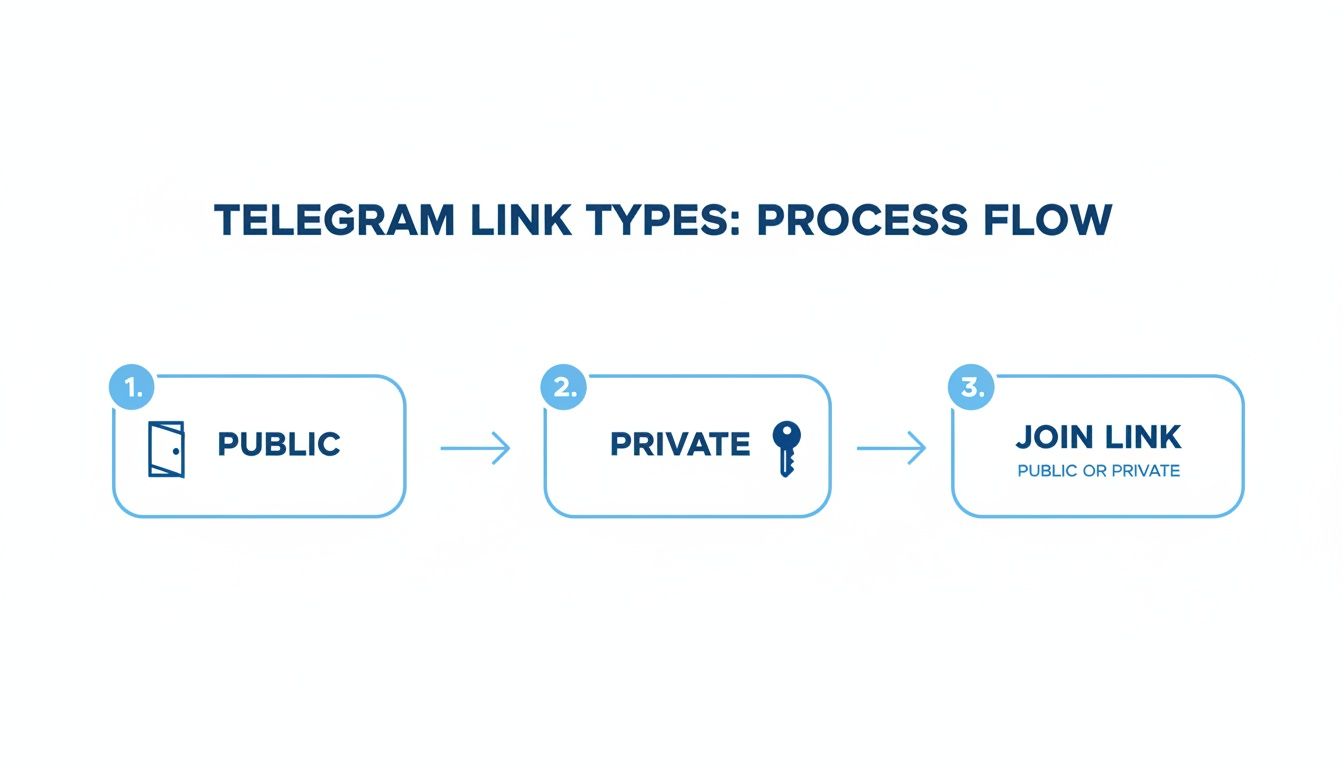
The Two Types
Telegram gives you two kinds:
Public links (t.me/YourChannelName) are permanent and built for open access. Put them in bios, websites, and marketing materials. The trade-off: no control over who uses them.
Private links (e.g., t.me/+aBcDeF12345) are revocable, configurable, and the only way to join a private channel. You can cap usage, set expiry dates, or require admin approval before someone gets in.
| Feature | Public | Private |
|---|---|---|
| Format | t.me/YourChannelName |
t.me/+aBcDeF... |
| Permanence | Permanent | Revocable anytime |
| Best For | Mass marketing, discovery | Paid access, campaign tracking |
| Control | Low | High |
| Spam risk | High | Low |
| Tracking | One link, no attribution | Per-source attribution |
Most serious channels use both. Public for discovery, private for everything else.
Creating and Managing Invite Links
Find the Invite Links menu in your channel or group settings. The path is consistent across platforms — open the channel info, tap Edit, then Invite Links.
- iOS: Channel info → Edit → Invite Links → Create a New Link
- Android: Channel header → pencil icon → Invite Links → Create a New Link
- Desktop: Channel header → More → Manage Channel → Invite Links → Create a New Link
Configuring private links
Each private link has four settings worth using:
- Link Name — private label only you can see. Use it. Name it
twitter_bio_q4, notlink1. - Time Limit — auto-expires after a set duration. Useful for flash promos.
- Number of Uses — caps how many people can join via that link.
- Request Admin Approval — every new joiner needs manual approval before accessing the channel. Turns the link into an application form.
If you're managing a larger community, the guide on Telegram group chats covers admin workflows in more depth.
Revoking a link
Go to Invite Links, find the link, hit Revoke. It dies instantly — anyone who tries to use it gets an error. Members who already joined are unaffected.
Sharing Strategically
Put your link where your ideal members already are, not everywhere.
High-signal placements: - Website, blog, email signature — your existing audience already trusts you - Social media bios — converts followers from other platforms into Telegram members - Email newsletters — your most engaged readers are usually glad to join a more direct channel
Where to avoid: public comment sections, unregulated forums, chain messages. These attract bots and spammers, not real members.
For paid groups or exclusive communities, never use a public link. Generate a single-use private link for each new member. Once they join, the link expires and can't be shared forward.
Telegram's growth from 35 million to 800 million MAU between 2014 and 2023 — a 2186% increase — was largely driven by link-based viral sharing. More context in the Telegram statistics on Whop.com. If you want to turn that sharing into a deliberate growth strategy, see the guide on Telegram viral links.
Tracking Growth with Invite Link Analytics
Using one link for everything makes attribution impossible. You see subscriber growth, but not what caused it.
Create a separate private link for every campaign:
| Promotion Source | Link Name |
|---|---|
| Website footer | website_footer |
| Blog post | blog_post_q2_analytics |
| Partner collab | partner_channelx_collab_nov |
| Facebook ad | fb_ad_campaign_1 |
In Invite Links settings, you can see join counts per link. After any campaign launch, check this to get a read on what's working.
For deeper analysis, Statiko layers daily subscriber trends, posting frequency, and engagement on top. You can correlate a spike in new members with the exact campaign that drove it — no guessing. More on this in Telegram channel analytics.
The numbers back it up: Telegram users are 5x more likely to click in-message links than email links, and post reach often hits 18% — well above Instagram. More on Telegram ads vs outreach in 2026.
Security and Scam Risks
Clone channels copy a real channel's name, picture, and recent posts, then distribute a link to the fake. Once you join, they push phishing, fake crypto giveaways, or malware. Red flags: very few members, slightly off username, unexpected invite from a stranger.
Bot attacks happen when your public link gets scraped by automated scripts. Defenses:
- Admin Approval on new private links — creates a manual review queue before anyone gets in
- CAPTCHA bots — require a simple verification step before new members can post
- Revoke and rotate — if a link is compromised, kill it and issue a fresh one to the channels you still trust
Telegram hit 95 million downloads in January 2021 alone. That scale means scammers are active. More download stats on Statista.
Message editing abuse is subtler — a user joins, seems legitimate, then quietly edits old messages to swap in scam links. Statiko tracks the full edit and deletion history of public channels, giving you a permanent record of what was originally posted and what changed.
FAQ
What happens when I revoke a link? The link dies instantly. Anyone clicking it gets an error. Members who already joined keep their access — revoking only blocks future joins.
Can I see who joined from a specific link? Yes. In Invite Links settings, select any private link to see total joins and the member list. Doesn't work for public links, but you can use Statiko to correlate overall growth with campaign timing.
How many invite links can I create?
One public link (your t.me/username). Unlimited private links. Create a separate one for every campaign, partner, or individual user you're onboarding.
How do QR codes work? Every invite link automatically gets a matching QR code in Telegram. Tap the link in your settings to find it. You can customize colors and patterns. Useful for business cards, event banners, and physical marketing — anywhere typing a URL is inconvenient.
Ready to stop guessing and start measuring your Telegram channel's growth? Statiko provides the transparency and analytics you need to make data-driven decisions. Track edits, monitor growth, and understand your audience with our powerful, free tools. Get started and unlock your channel's true potential today at https://statiko.io.
Related posts

Transform your Telegram group chat into a thriving community. Learn expert strategies for creating, managing, and growing your group with this complete guide.

Unlock growth with our guide to Telegram channel analytics. Learn to track key metrics, analyze competitors, and make data-driven decisions for your channel.

What "leak" Telegram links actually are, why most are scams, and how to check whether your own content or data is circulating on Telegram.
Start in seconds.
Create a free account to organise channels, track activity, and get recaps delivered to you.
Real-time. Telegram. Analytics.