How to Recover a Deleted Telegram Channel
Learn how to recover a deleted Telegram channel, what support can restore, and how Statiko archives public channel content when full recovery is impossible.
A Telegram channel you depended on is gone, and you want a straight answer rather than a fake miracle. Here it is: you usually can't recover a deleted Telegram channel itself, but you can often recover the content if you act fast, know whether you're the admin or the viewer, and stop chasing bot promises.
What Actually Happens When a Telegram Channel Is Deleted
If you owned the channel and hit delete, the panic is real — it disappears as if it never existed. Telegram's public documentation draws the boundary clearly. It offers statistics for eligible public channels but describes no native undelete or restore flow for a permanently removed channel, and the support pages document no restoration workflow either (Telegram channel statistics documentation, Telegram support).
Deleted means the channel object is gone
When a channel is permanently deleted, Telegram removes the channel object itself, not just the visible posts. There's nothing left inside Telegram for the app to bring back. If the channel still exists, you may be able to find it again. If it was deleted, the platform provides no built-in restoration mechanism.
Practical rule: stop asking whether Telegram can "undelete" the channel. Ask whether the channel still exists anywhere, or whether only copies of its content remain.
People waste hours confusing left, archived, hidden, and deleted — four states with four different ceilings for recovery. If you left a public channel, search the username again or use a saved invite link. If you deleted a channel you owned, the only thing left to save is what was already copied, exported, cached, forwarded, or archived elsewhere.

Diagnosing Your Channel State Before You Act
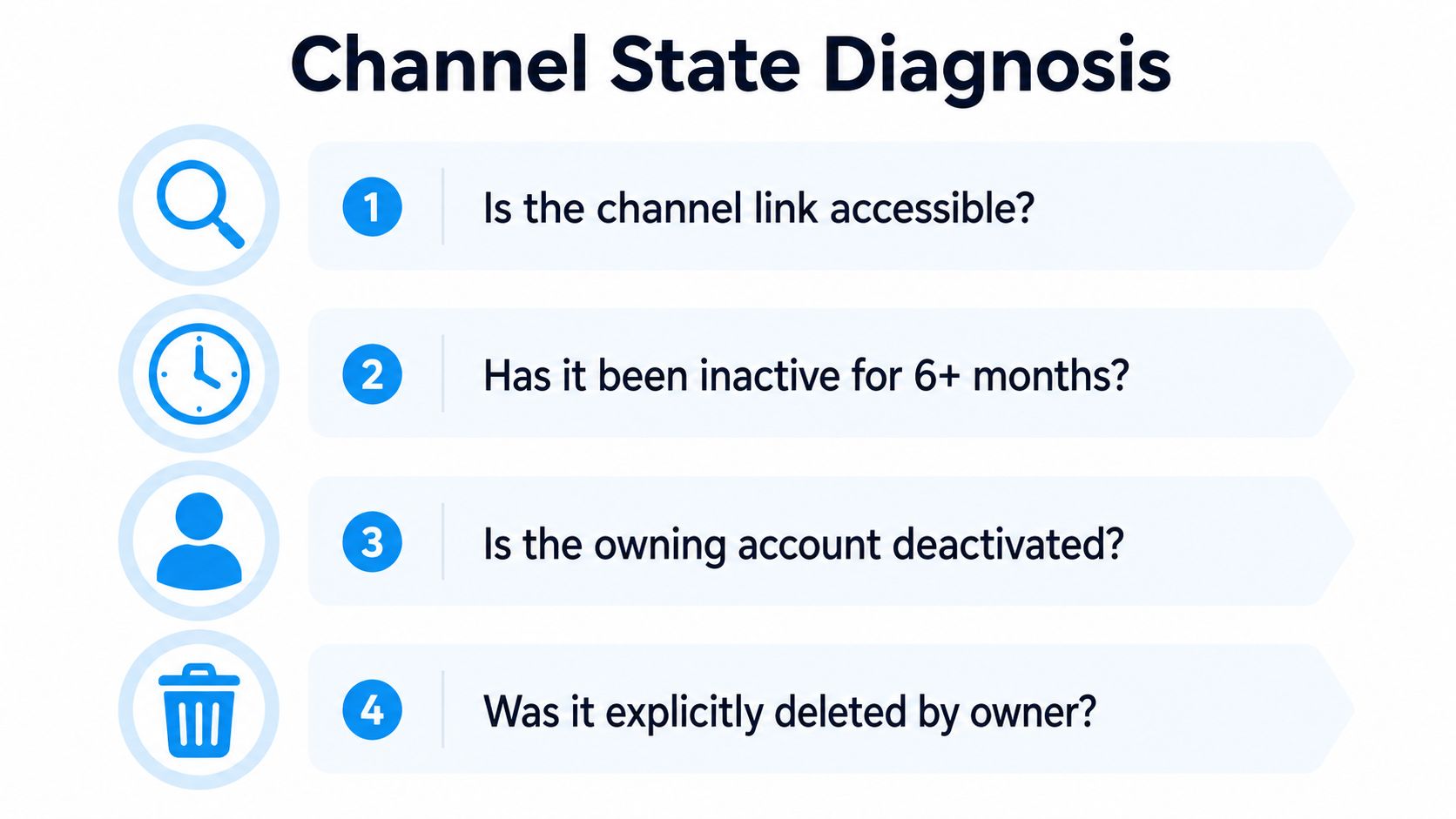
Before you contact support or open an archive, identify the actual state of the channel. Most bad advice starts with the wrong diagnosis. A channel that's still searchable is a very different problem from one deleted by its owner.
Four buckets, four different outcomes
Check these in order:
- Is the channel link accessible? If yes, the channel may still exist, even if you lost track of it.
- Has it been inactive for a long time? Inactivity doesn't prove deletion, but it convinces plenty of owners that silence means loss.
- Is the owning account deactivated? If the account is gone, ownership questions get harder, especially for a private channel tied to a single admin.
- Was it explicitly deleted by the owner? If yes, treat it as permanently removed unless you already have external copies.
A public channel that still exists can usually be rediscovered by username search. A private one needs the original invite link or a fresh invite from an admin. A permanently deleted channel is the hard stop.
Look for traces before you restart anything
Don't re-sync every device before checking for local evidence. Cached artifacts, forwarded-message headers, saved chats, and desktop data exports can preserve the channel's pointer or its content after the live channel is gone. That won't restore Telegram's server-side object, but it proves what existed and preserves what mattered.
Operator move: inspect your device cache and exports first, then make the support decision. Once you wipe your own local traces, you've made the salvage job harder for no gain.
Filing a Telegram Support Request That Gets a Reply
If you're the admin and the channel was deleted, Telegram support is the only official route. Don't dress it up as a mystery or a complaint. Write a clean ownership and timeline request — Telegram's general support materials give you no documented channel-restore path, and vague tickets get ignored.
Use a precise request, not an emotional one
Send a message that includes:
- The public username of the channel, if it had one.
- The phone number tied to the owner account.
- The approximate deletion date and time window.
- A direct request asking whether the channel can be restored, whether any internal recovery path exists, or whether Telegram can confirm permanent deletion.
Telegram may answer slowly, or not at all in a useful way. Days to weeks is realistic. Treat anything short of a direct confirmation as unresolved.
Send this, not a rant:
"I'm the owner of the Telegram channel @yourchannelname. The owner account is tied to +[phone number]. The channel appears to have been deleted on or around [date]. Please confirm whether any restoration is possible, or whether the channel has been permanently removed from Telegram's servers."
After that, stop burning time on the same request. Telegram treats channels as durable distribution objects in its own analytics model, not as user content it promises to reconstruct after deletion. Once support can't restore it, the question changes from "can Telegram bring it back?" to "what copies still exist outside Telegram?"
Backing Up Channels Before Disaster Strikes
Prevention beats recovery. If you own a channel, build the archive before anything goes wrong. The primary failure mode isn't deletion — it's discovering you never saved the only copy that mattered.
Set up your archive now
Start with the obvious, then go stronger:
- Export your own data. Use Telegram's export options for the account and any saved content you control.
- Export channel posts and media. As an admin, keep a local record of the posts, captions, and assets you publish.
- Add a monitoring layer for public channels. A tracker that snapshots public posts gives you an external history if the channel later disappears.
The logic is the same one behind how Telegram mirrors compare to the wayback model: keep an off-platform record before the original disappears.
Statiko is one option in that category. It tracks every post, edit, and deletion in public channels and keeps version history that survives after the live channel is gone. Telegram won't rebuild a deleted channel for you, but an archive still preserves what was posted, what changed, and what was removed.
Don't wait for a cleanup day — treat archive setup like seatbelts. You don't install them after the crash. The one-time effort is tiny next to the hours you'll waste chasing a restore that Telegram doesn't offer.
Retrieving Content From a Dead Public Channel
If you're not the admin, your problem is different. You don't need the channel object back. You need the content. That's where public-channel archives earn their keep.
Search the archive, then inspect the channel history
Use Statiko's catalog search to find the public channel by name, topic, or recognizable keywords. Then open its channel page — this public channel overview shows the format — and review the full history there.
On a preserved page you can scroll through earlier posts, check removed messages, and see what changed before deletion. For journalists, researchers, and marketers, that's usually the win: not restoring a dead channel, but recovering the record it left behind.
Know the boundary — this only works for public channels. Statiko can't access private channels, groups, or direct messages. If the content lived in a private space, there's no archive shortcut, and you're back to whatever invite links, exports, or local copies you already saved. For a walkthrough focused on deleted posts specifically, the guide to seeing deleted Telegram channel posts is the right companion read.
Bottom line: if the channel was public, archived history can preserve what Telegram itself removed. If it was private, no public tracker can help.
Why Bots and Hacks Cannot Restore Deleted Channels
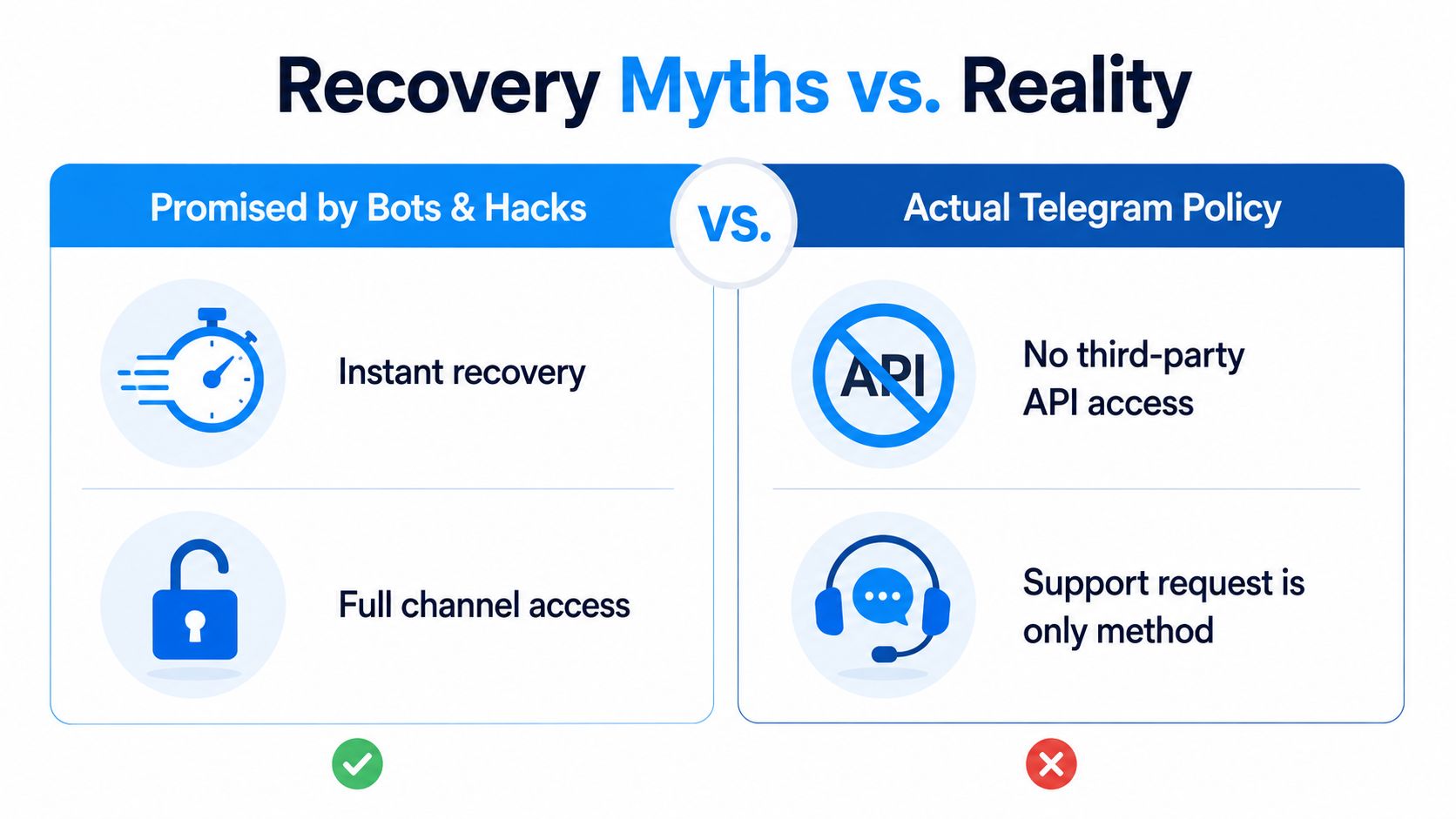
The recovery bot mythology needs to die. A bot can't recreate a channel Telegram has removed from its servers. No hack summons server-side state out of nowhere. Any tool promising to "undelete" a permanently deleted channel is selling you nonsense.
Separate real recovery from fake recovery
If the channel was only left, rejoining works through normal Telegram search or an invite link. If it was archived or hidden, it still exists and is reachable. If it was permanently deleted, the object is gone, and no third-party API, bot, or shady recovery site puts it back.
The confusion persists because too many guides blur deleted with left and archived. That's how people burn time on fake tools when the only workable paths are support for admins and archives for viewers.
What to Do When Your Account and Channels Are Hacked
A hacked account changes the problem. An attacker can delete channels, change admins, or move control before you realize what happened. If you still have one logged-in device, move first and ask questions later.
Lock the account down immediately
- Terminate active sessions from any device that still has access.
- Revoke the account's API key hash if you use developer access or linked tooling.
- Contact Telegram support with the phone number and proof of ownership.
- Enable two-step verification once you regain control.
A hacked account is worse than a voluntary deletion, because admin rights can be reassigned before you recover access. Once that happens, the channel can vanish from your control even if the attacker hasn't fully deleted it.
For hardening after you get back in, review Telegram app security practices and close whatever weak point allowed the takeover. If the attacker already wiped a public channel, external history may be the only surviving record.
Choosing the Right Path Forward
If you're the admin and deleted the channel by mistake, contact Telegram support immediately, while the account is active and the details are fresh. Then export whatever you can. If Telegram doesn't bring it back, it's gone.
If the channel was permanently deleted, rebuild on a new one with export and monitoring in place from day one. For a public channel, that means preserving history outside Telegram before the next disaster. For private channels, build your own backup habit, because no public archive covers you there.
If you're a viewer, researcher, or marketer trying to recover content from a dead public channel, go straight to Statiko's catalog search and pull the preserved history. If the channel was public, that archive becomes the working record.
The most authoritative recovery path is the one you set up before the loss.
Frequently Asked Questions
Can Telegram restore a deleted channel? There's no documented restore flow. Support can confirm the deletion and, in rare admin cases, look into the account, but Telegram makes no promise to rebuild a removed channel. Assume permanent unless support says otherwise.
How long does a deleted Telegram channel stay recoverable? For the channel object itself, there's no recovery window at all — permanent deletion is immediate. Content recovery depends entirely on copies made before deletion: exports, forwards, caches, or an external archive.
Can I get my channel username back after deleting the channel? Usually yes. Public usernames are released back into the pool after deletion, so you can often claim the same handle on a new channel. That gives you the name back, not the subscribers or the post history.
What happens to subscribers when a channel is deleted? They lose access instantly and the channel disappears from their list. There's no way to migrate them to a replacement channel — you rebuild the audience from scratch.
Can a bot recover a deleted Telegram channel? No. Bots work through the same API as everyone else and cannot read or restore server-side data Telegram has removed. Any bot advertising channel undeletion is a scam.
Can I recover content from someone else's deleted channel? Only if it was public and something archived it before deletion. A monitoring service that was already tracking the channel keeps the post history; if nothing was tracking it, the content is gone.
Statiko gives you a practical way to preserve public Telegram history before a channel disappears. If you need to recover a deleted Telegram channel's content, or keep the next one from becoming unrecoverable, visit Statiko and set up an archive path before the panic starts.
Related posts

Learn how to see deleted posts from a Telegram channel using caches, archives, admin logs, and continuous tracking tools like Statiko.

There is no Telegram Wayback Machine, but Statiko tracks every post, edit, and deletion on public channels — the full history web archives miss.
A deep dive into Telegram app security. Understand the real risks of cloud vs secret chats, common threats, and how to truly protect your account and channel.
Start in seconds.
Create a free account to organise channels, track activity, and get recaps delivered to you.
Real-time. Telegram. Analytics.