What Is a Telegram Bot? A Guide to Automated Assistants
Discover what is a Telegram bot and how these automated assistants work. This guide explains their power for channel management, marketing, and automation.

So, what exactly is a Telegram bot?
If you've spent any time on Telegram, you've probably bumped into one already — maybe without even realizing it. A Telegram bot isn't some physical robot sitting in a server room. It's basically a small program that lives inside Telegram, pretending to be a user account but running entirely on code. You send it a message, it does something useful in return. No human on the other end, just software doing its thing.
You can chat with bots directly, toss them into group chats, or let them run your channels on autopilot. They respond to commands, react to specific triggers, and keep working around the clock — 24/7 — while you're asleep, eating lunch, or binge-watching something on Netflix.
A Quick Example
Say you run a news channel on Telegram with a few thousand subscribers. Every morning at 8 AM, you want the latest article published. Instead of setting an alarm and doing it yourself, you hand that job to a bot. You tell it what to post and when, and it just... does it. Every single day. No complaints, no sick days, no "I forgot."
That kind of reliability is why bots have become such a fundamental part of the Telegram ecosystem.
How Are Bots Different from Regular Users?
Bots and humans coexist in the same app, but they play very different roles. The most important distinction? A bot can never message you first. You always have to reach out to it. That's by design — Telegram wants you to stay in control of these interactions, not the other way around.
Here's a side-by-side look at the differences:
| Feature | Telegram Bot | Human User |
|---|---|---|
| Automation | Built for repetitive, automated tasks | Manual, spontaneous actions |
| Availability | Always online, instant responses 24/7 | Online when the person happens to be |
| Initiation | Can't start conversations — must be contacted first | Can message anyone |
| Interface | Uses custom keyboards and commands like /start |
Standard chat interface |
At the end of the day, bots handle the boring, repetitive stuff so humans can focus on creating content, building communities, and having actual conversations.
How Telegram Bots Actually Work
Ever typed /poll into a group chat and watched a poll appear instantly? Here's what's happening behind the curtain.
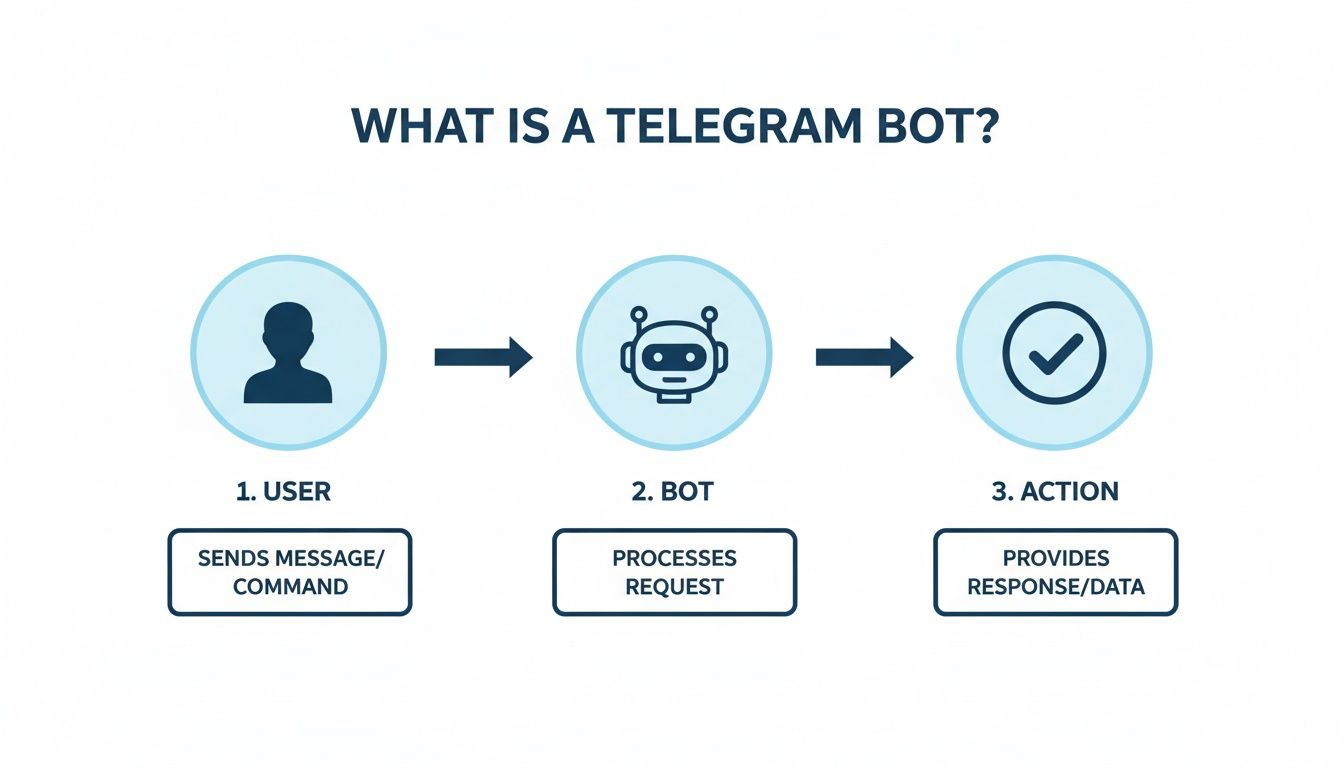
The whole system runs on something called the Telegram Bot API. Think of it as a middleman. When you send a command to a bot, your message goes to Telegram's servers first. From there, it gets forwarded to whatever server the bot's code is running on. That server processes your request — "oh, they want a poll" — builds one, and sends it back through the API to your chat.
All of this happens in milliseconds. It feels instant, but there's actually a pretty elegant back-and-forth happening every time.
How Bots Know You've Sent a Message
For this whole thing to work, the bot needs to find out that you said something. Developers have two ways to set this up:
1. Long Polling — the "Are We There Yet?" approach. The bot's server keeps asking Telegram: "Anything new? How about now? Now?" over and over again. It's not the most graceful solution, but it works and it's dead simple to set up.
2. Webhooks — the "I'll Let You Know" approach. This is the smarter method. The developer gives Telegram a URL, and whenever a new message arrives, Telegram pushes it to that URL immediately. No constant checking needed. It's faster, more efficient, and what most production bots use.
Both get the job done, but webhooks are generally preferred — especially if you care about speed and keeping your server load down.
What Can Bots Actually Do for Your Channel?
OK, enough theory. Let's talk about what this means in practice.
If you manage a Telegram channel or group, the right bot is like hiring a small team that works for free around the clock. Seriously — the amount of manual work you can offload is kind of ridiculous.
Automating the Tedious Stuff
Content scheduling is the obvious one. Prep your posts days or weeks ahead, set the times, and let the bot handle publishing — our channel bot guide covers the full setup. But that's just scratching the surface:
- Community moderation: Auto-delete spam, filter bad language, nuke phishing links. Your group stays clean even when you're not watching.
- Audience engagement: Run polls, quizzes, and surveys without lifting a finger. Great for getting feedback and keeping subscribers active.
- Welcome messages: New member joins? The bot greets them with your custom message, lays out the rules, shares important links. Automatically.
- Content distribution: Push your latest posts to connected groups or even other platforms. One publish, multiple destinations.
Since Telegram introduced bots back in 2015, they've fundamentally changed how channels operate. The world's top 50 channels have over 102 million subscribers combined, and most of them lean heavily on bots to manage things at that kind of scale. When you're serving a platform with 700 million monthly active users, automation isn't optional — it's survival. For more on these numbers, check out this analysis on popsters.com.
Channel Analytics — Where Bots Really Shine
Here's where things get genuinely powerful. Telegram's built-in analytics are... let's say minimal. But bots can track way more — subscriber growth, post views, engagement rates, forwarding patterns, you name it.
The bot collects the raw data, but to actually make sense of it, you usually want to pipe that data into a dedicated analytics platform. Think of the bot as your data collector and the platform as the strategist that turns numbers into actionable insights.
With the right setup, you can figure out your best posting times, benchmark against competitors, and understand which content formats actually resonate with your audience. That's the difference between running a channel and growing one.
For a deeper dive, check out our guide on the best Telegram channel analytics tools available today. Connecting a bot to a platform like Statiko turns guesswork into strategy.
Finding the Right Bot for Your Needs
The Telegram bot ecosystem is massive — thousands of options, all promising to make your life easier. The trick isn't to browse randomly. Start with the problem you want to solve, and work backwards from there. For a curated set of directories where you can search and compare bots, see our list of Telegram bots.
Most bots fall into a few clear categories:
Content and Broadcasting Bots
These handle your publishing workflow. Schedule posts in advance, format them with buttons and rich media, even cross-post to other platforms. If you're tired of manually publishing updates, this is where you start. For a curated set of tools built specifically for Telegram channel owners, check out Statiko's creator tools.
Moderation and Security Bots
Your 24/7 bouncers. They enforce rules, delete spam, kick bad actors, and filter inappropriate content — all automatically. The bigger your community gets, the more essential these become. A well-configured moderation bot prevents problems before they even show up in the chat. For specific recommendations, see our guide to the best Telegram bots for groups. For a practical breakdown of how these bots apply to age-restricted communities — including age-gating and compliance — see our guide to managing an 18 Telegram group.
Analytics and Utility Bots
Analytics bots dig into the metrics Telegram doesn't show you natively. Utility bots connect Telegram to your other tools — automatically saving media to cloud storage, creating CMS drafts from channel posts, or piping IP camera snapshots into a group, that kind of thing. For how different monitoring tools compare, see our guide on the best Telegram monitoring tools.
Here's a quick reference:
| Bot Category | What It Does | Example |
|---|---|---|
| Content Automation | Schedules and formats posts | A news channel queues articles to release hourly |
| Community Moderation | Filters spam, enforces rules | A crypto group auto-deletes phishing links |
| Audience Analytics | Tracks growth, views, engagement | A marketer identifies top-performing post formats |
| Utility & Integration | Connects Telegram to other apps | An e-commerce channel auto-posts new products |
| Social / Matchmaking | Manages profiles, matching, and anonymous chat | A Telegram dating bot connects users without a separate app |
How to Set Up Your First Telegram Bot
Here's the good news: getting started takes about five minutes and zero coding.
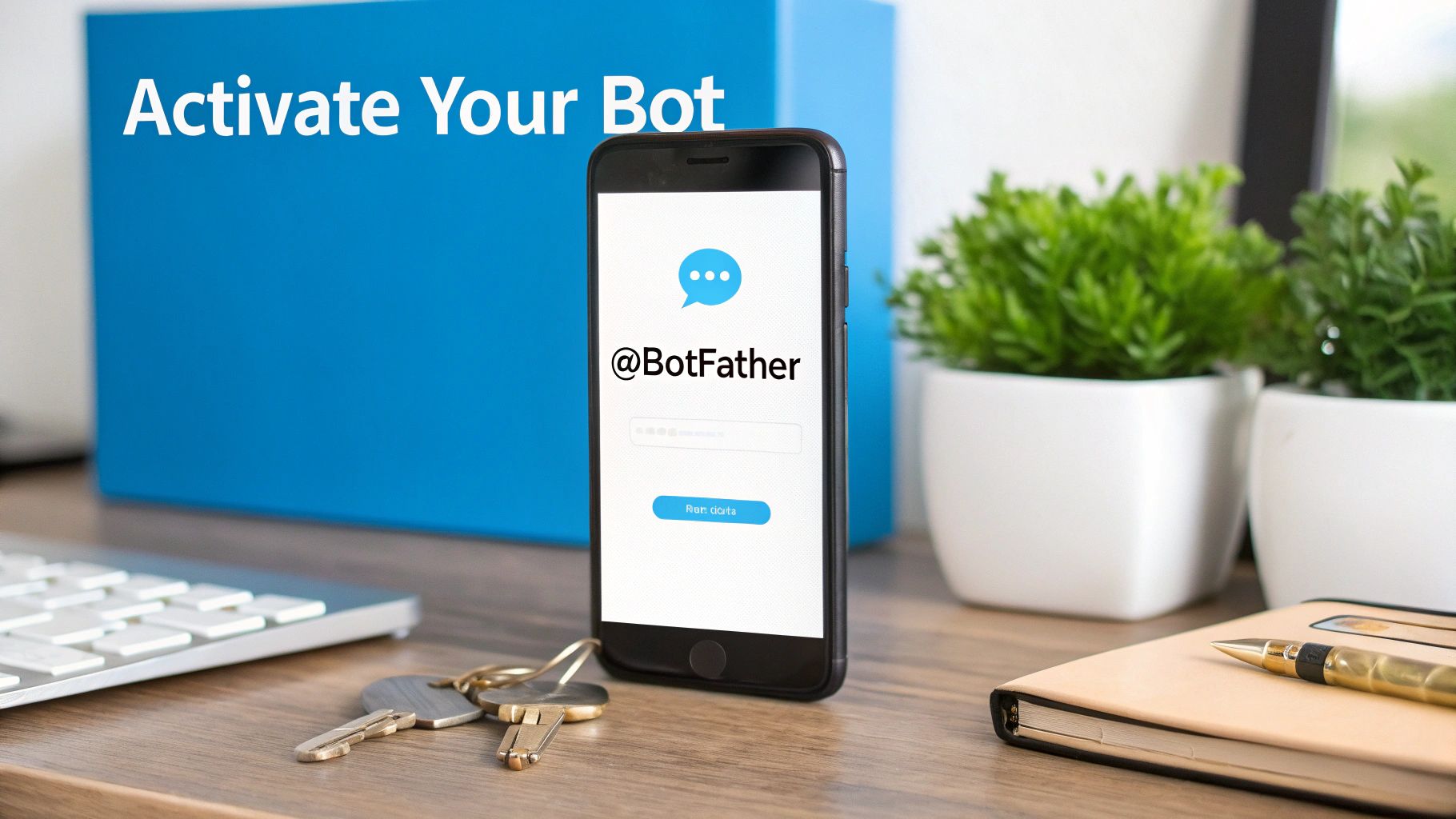
Everything begins with @BotFather — Telegram's official bot for creating other bots (yes, there's a bot for making bots). Search for it in Telegram, start a chat, and follow the prompts. You'll pick a name, choose a username, and get an API token.
Your API Token Is Your Bot's Password
That token is a long string of characters that gives you full control over your bot. Treat it like a password. Anyone with your token can control your bot. Don't paste it in public chats, don't commit it to a public repo, don't share it with people you don't trust.
Once you have the token, your bot exists — it just doesn't do anything yet. To put it to work:
- Add the bot to your channel or group (just like inviting a person)
- Grant it the right admin permissions (a moderation bot needs message-deleting rights, a content bot needs posting rights)
- Plug the API token into whatever third-party service you're connecting it to
That's it. Your bot is live.
Bot Safety and Privacy — What You Need to Know
Adding a third-party bot to your channel naturally raises some privacy questions. Fair enough — you should be cautious. But Telegram has built some solid guardrails here.
By default, bots in group chats run in privacy mode. That means they can only see messages specifically directed at them — commands starting with / or direct replies to the bot's messages. They can't read your members' regular conversations unless an admin explicitly disables privacy mode.
Think of it like giving a contractor access to one room in your house, not handing them a master key.
Being Smart About Permissions
The permission system puts you in charge, but that also means the responsibility is on you. Before granting admin rights to any bot:
- Stick with reputable bots from known developers
- Check for reviews and active user communities
- Verify they have an official website or documentation
A bot can only do what you allow it to do. But a poorly vetted bot with admin rights can cause real headaches — think of it like giving your house keys to a stranger.
Reputable analytics services take this further by only analyzing publicly available data from public channels. They don't access private messages or peek into closed groups. For more on data safety, our guide on how to properly back up your Telegram chats covers some useful best practices.
Common Questions About Telegram Bots
Are Telegram Bots Free?
Mostly, yes. The vast majority of bots are completely free to add and use. Some offer premium tiers with advanced features like deeper analytics, unlimited scheduling, or priority support — your standard freemium model. But for basic functionality, you typically won't pay anything.
Can a Bot Read All My Group Messages?
Not by default. Bots operate in privacy mode out of the box, which means they only see commands and direct replies. A group admin would have to manually disable privacy mode for a bot to see everything. So unless someone actively changes that setting, your conversations stay private.
Do I Need to Know How to Code?
To use an existing bot? Absolutely not. If you can send a message and tap a button, you're good. The only time coding matters is if you want to build a custom bot from scratch. For everyone else — channel owners, marketers, community managers — it's all point-and-click.
What is a Telegram bot used for?
A Telegram bot is used to automate tasks inside the app — scheduling posts, moderating groups, running polls, collecting analytics, and connecting Telegram to external services. They're especially popular among channel owners who need to manage large audiences without doing everything manually.
Are Telegram bots safe?
Generally, yes. Bots run in privacy mode by default, meaning they can only see messages directed at them (commands and replies). They can't access your private chats or channels they haven't been added to. The main risk comes from granting admin permissions to untrusted bots, so always stick with reputable ones from known developers.
How do I create a Telegram bot?
You create one by chatting with @BotFather in Telegram. It walks you through picking a name and username, then gives you an API token. No coding is needed for the setup itself — coding only comes in if you want to program custom behavior from scratch. For a full walkthrough on building your own, see our Telegram bot development guide.
Can Telegram bots send messages first?
No. A bot cannot initiate a conversation with a user. The user must interact with the bot first — either by starting a chat, adding it to a group, or sending it a command. This is a platform-level restriction designed to prevent spam.
What's the difference between a Telegram bot and a regular user?
A bot is an automated account controlled by software, not a person. It's always online, responds instantly, and is designed for repetitive tasks. Unlike regular users, bots can't start conversations, don't have a "last seen" status, and interact primarily through commands and custom buttons rather than free-form chat.
Ready to go beyond basic bot features and get real insights into your channel's performance? Statiko gives you powerful analytics — what's working, who your audience is, and how you compare to competitors. Start making data-driven decisions at https://statiko.io.
Related posts

Unlock growth with our guide to Telegram channel analytics. Learn to track key metrics, analyze competitors, and make data-driven decisions for your channel.

Telegram's cloud sync is not a backup. Export your full history from Desktop, work around the mobile limits, and automate the whole thing.

Master Telegram OSINT with our 2026 guide. Learn profile discovery, channel analysis, network mapping, and the best tools for open-source intelligence research.
Start in seconds.
Create a free account to organise channels, track activity, and get recaps delivered to you.
Real-time. Telegram. Analytics.