Channel Bot Telegram A Guide to Automation and Growth
Discover how a channel bot telegram can automate posts, moderate your community, and drive growth. Learn setup, best practices, and analytics in our guide.

A Telegram channel bot handles the repetitive work of running a channel — scheduling posts, filtering spam, answering common questions — so you don't have to be online constantly.
Your Channel's 24/7 Digital Assistant
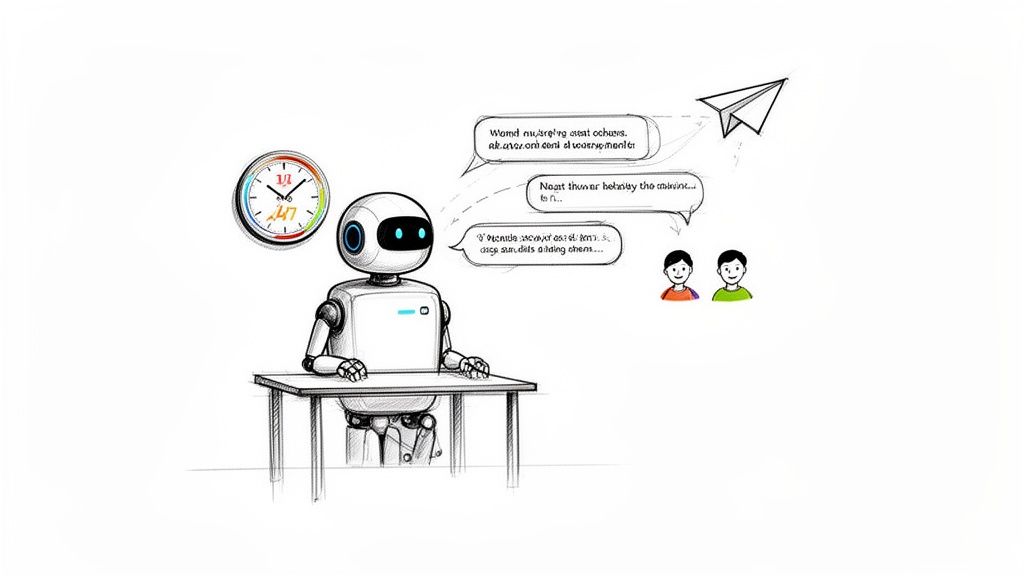
Running a popular channel manually stops scaling fast. You end up reacting to spam, scrambling to post at the right time, repeating yourself in comments. A bot makes that reactive loop go away.
It follows exact rules you set, running silently in the background. Spam gets deleted before most subscribers see it. Content goes out on schedule whether you're awake or not.
Content Scheduling — Queue posts for weeks ahead. Your channel stays active regardless of how busy you get.
Automated Moderation — Instant deletion of spam, banned links, or flagged language. No manual review required.
User Engagement — Auto-greet new subscribers, answer FAQs, run polls.
| Task | Manual | Bot-Powered |
|---|---|---|
| Posting Content | You need to be online for every post. | Pre-scheduled, goes live automatically. |
| Spam Removal | You find and delete it, after others have seen it. | Deleted instantly, 24/7. |
| Welcoming Members | Impossible at scale. | Automated, every time. |
| Consistency | Depends on your availability. | 100% consistent, no exceptions. |
Core Capabilities
A bot covers content delivery and community safety. Those two things together are what turn a demanding side project into something that mostly runs itself.
Automated Posting — Create posts with rich formatting, images, and buttons, then schedule them for when your audience is most active. Build out a full content calendar in one session and walk away.
Intelligent Moderation — Configure filters to auto-delete spam, forbidden links, or specific keywords. This runs continuously without you touching it.
Smart Auto-Replies — For channels with a linked discussion group, set triggers to handle common questions automatically and cut down repetitive admin work.
For a broader look at what bots can do, see what a Telegram bot is.
Unlock Growth With Analytics
Automation handles execution. Analytics tell you whether you're executing the right things.
Without data, posting is guesswork. Are you going live at the right time? Is any of it landing? Platforms built for Telegram — like Statiko — track the metrics that actually matter:
- Subscriber Growth — Daily and weekly net changes. See which posts drive follows and which cause drops.
- Post Engagement (ERR) — The percentage of your audience that views each post. A reliable signal of content quality.
- View Velocity — How fast posts get seen after publishing. Use this to find peak posting windows.
With 700 million monthly active users on Telegram, frequency alone doesn't drive growth. Timing and relevance do. Data tells you both.
Statiko also tracks message edits and deletions — a transparency feature that builds audience trust over time. When subscribers can see a public history of changes, it creates accountability. That matters for long-term retention.
For a full breakdown of your options, check out the Telegram channel analytics guide.
How to Set Up Your First Channel Bot
No coding required. Here's the full setup in three steps.
Step 1: Create your bot via @BotFather
Open Telegram, search @BotFather, and send /newbot. Give it a display name, then a unique username ending in "bot". Once done, BotFather hands you an API token — keep it private. Anyone with it controls your bot.
Step 2: Connect to a management platform
Paste your token into a bot management service like @ControllerBot. These platforms give you a UI for scheduling, moderation rules, and automations — no code needed. As rules grow more complex, a proper config editor keeps them auditable instead of scattered across menus. Forward the confirmation message from BotFather when prompted to link the two.
For custom setups, our guide on Telegram bot development covers the technical side.
Step 3: Add the bot to your channel as admin
Go to your channel settings → Administrators → add your bot by username. Grant it permission to Post Messages at minimum. Enable Edit or Delete permissions depending on your planned workflows.
Head back to your management platform and start scheduling.
Growth and Moderation Strategy

Having a bot running isn't enough. Default settings won't get you far.
For growth: use polls to drive engagement, run sharing contests, and check your Statiko analytics for peak activity windows. Schedule your best content for those windows.
Moderation balance matters. Too aggressive and you kill genuine conversation. Too passive and spammers ruin the experience for everyone. Channels without active moderation can lose 5–15% of subscribers per month. Retaining an existing subscriber is roughly 5x cheaper than acquiring a new one.
A few practices that work:
- Be specific — Target known scam URLs, phishing phrases, and dangerous file types rather than generic "spam" filters.
- Warn before banning — For linked groups, issue a warning or temporary mute before a permanent ban. Good-faith users deserve a second chance.
- Review filters regularly — Spammers adapt their tactics. Revisit your keyword lists every few weeks.
FAQ
Can a channel bot read my private messages? No. Bots only see messages in channels or groups where you've made them admin. They have no access to your DMs or anything outside that workspace.
Do I need to know how to code? No. No-code platforms like ControllerBot let you schedule posts, set moderation rules, and configure auto-replies through a UI. Coding is only needed if you're building a fully custom bot from scratch.
How do I choose the right bot? Start with your goal. A simple scheduler (like ControllerBot) handles posting. A moderation bot (like Rose) handles community safety. An analytics platform like Statiko handles performance tracking. Most serious channels run a combination.
Ready to turn data into growth? Statiko offers the most transparent analytics for your Telegram channel. Track your performance, understand your audience, and make smarter decisions with our free AI-powered insights. Get started at https://statiko.io.
Related posts

Discover what is a Telegram bot and how these automated assistants work. This guide explains their power for channel management, marketing, and automation.

Unlock growth with our guide to Telegram channel analytics. Learn to track key metrics, analyze competitors, and make data-driven decisions for your channel.

Learn Telegram bot development with our guide to building, deploying, and scaling secure, feature-rich bots with Python, Node.js, and TON integration.
Start in seconds.
Create a free account to organise channels, track activity, and get recaps delivered to you.
Real-time. Telegram. Analytics.