How to Fix the Telegram This Group Can't Be Displayed Error
Seeing the 'Telegram this group can't be displayed' error? Learn why it happens and discover proven fixes for iOS, Android, and Desktop that actually work.

The "this group can't be displayed" error on Telegram tells you nothing about what actually went wrong. It could be an admin action, a content filter, or a deleted group — all behind the same vague message.
Most of the time, this isn't a technical glitch on your end.
Why This Error Shows Up
Before changing any settings, figure out the cause. Each one has a completely different fix.
Banned or kicked — An admin removed you. No notification, no explanation. You just lose access.
Group deleted — The owner shut it down, or Telegram removed it for TOS violations. Gone for everyone.
Sensitive content filter — Official Telegram apps from the App Store and Google Play block groups flagged as "sensitive" to comply with store policies. This is the most common cause.
Regional or ISP blocks — Your country or ISP is blocking access to Telegram's servers or specific groups.
| Cause | Description | Fixable? |
|---|---|---|
| Banned/Kicked | Admin removed you. Need to contact them for re-invite. | Maybe |
| Group Deleted | Group no longer exists. | No |
| Sensitive Content Filter | Mobile app hiding the group due to store rules. | Yes |
| Private Group | Requires an invite link you don't have. | Yes |
| Regional Block | Government or ISP blocking access. | Maybe (VPN) |
| Account Restricted | Telegram restricted your account for spam or violations. | Maybe |
Public channels vs. private groups — This error almost exclusively affects groups, not channels. Channels have different rules and are built for broadcasting. Private groups are closed communities where admins control access. As Telegram's creator economy grows, many entrepreneurs are building paid communities in private groups, making proper administration essential. More on Telegram's evolving digital ecosystem.
Content Filters vs. Bans
The distinction matters because the fix is different.
A ban is personal — an admin removed you from a specific group. A content filter is automated — your mobile app is hiding the group because of Apple App Store or Google Play policies. This is exactly why a group might load fine on desktop but show the error on your phone.
As of March 2025, Telegram hit 1 billion monthly active users. At that scale, rules from individual admins, app stores, and governments all funnel into the same generic error message. For anyone interested in how public data flows through this ecosystem, our Telegram OSINT guide goes deeper.
Fixes by Device
The fix depends on the device. Mobile apps and desktop clients play by different rules.
iOS and Android
The problem is almost always the sensitive content filter. The fix isn't in the app — you need a web browser.
- Open web.telegram.org in a browser
- Log in with your phone number (you'll get a confirmation code in the app)
- Go to Settings → Privacy and Security
- Find "Sensitive Content" and check "Disable filtering"
Restart your mobile app after toggling this. It may take a minute or two to sync.
This setting is account-wide, but enforcement is device-specific. The desktop and web apps honor it immediately. Mobile apps should follow, but store policies can still override it. For most users though, this is the fix.
Desktop and Web
Desktop and web versions come directly from Telegram, not a third-party app store. They don't have the same aggressive content filters. If a group works on desktop but not mobile, you've confirmed it's a content filter issue, not a ban.
General Troubleshooting
- Update the app — Bug fixes ship constantly
- Clear the cache — Stale data causes display errors. Clearing it won't touch your chat history
- Use a VPN — Only helps if the block is geographic (ISP or government censorship)
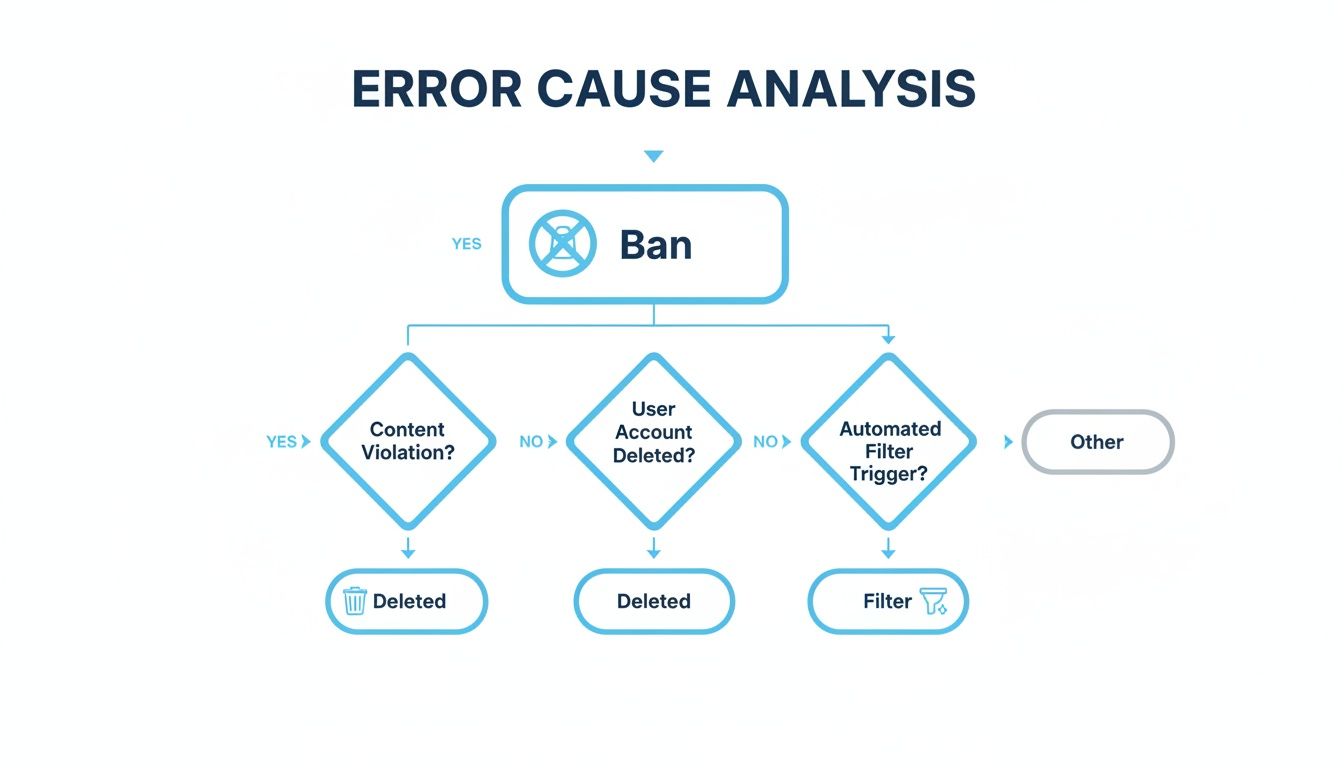
First step is always: is it personal (ban), universal (deleted group), or technical (content filter)? For more on building a public channel presence, see our guide on how to find and analyze Telegram channels.
Best Practices
For admins — Pin clear community rules from day one. Use moderation bots for spam and banned words. Appoint trusted co-admins if the group is growing. A well-moderated group is far less likely to get reported and shut down.
For members — Read the pinned rules before posting. Spamming, starting arguments, or posting prohibited content is the fastest way to get banned. Posting illegal or harmful material risks restrictions on your entire Telegram account, not just one group. Back up your important chats proactively — our Telegram chat backup guide walks through the process.
On transparency — The error gives you zero information about what happened. For public channels, analytics tools like Statiko can help. If a channel's visibility or engagement drops suddenly, data replaces guesswork. Statiko focuses exclusively on public channels, respecting the privacy of private groups and DMs.
Common Questions
Is a Telegram group ban permanent? Depends on the admins. Only they can reverse it. Many large groups have zero-tolerance policies for spam and rule-breaking, making bans effectively permanent.
Why does a group work on desktop but not my phone? Content filters. The App Store and Play Store apps hide groups flagged as "sensitive." Desktop and web versions aren't subject to those restrictions. Fix it by disabling the sensitive content filter at web.telegram.org.
Will a VPN fix this error? Only if the issue is a regional block or ISP censorship. A VPN does nothing for admin bans, deleted groups, or content filters.
At Statiko, our focus is on bringing transparency to the public side of Telegram. While we respect the privacy of private groups and can't access them, our platform gives you an unparalleled view into public channels. You can track content history, analyze growth, and see the strategies behind any public channel. Explore public Telegram channels with Statiko today.
Related posts

Telegram's cloud sync is not a backup. Export your full history from Desktop, work around the mobile limits, and automate the whole thing.

In-app search only gets you so far. Use usernames, t.me links, directories, and subscriber data to find channels — then vet them before you join.

Master Telegram OSINT with our 2026 guide. Learn profile discovery, channel analysis, network mapping, and the best tools for open-source intelligence research.
Start in seconds.
Create a free account to organise channels, track activity, and get recaps delivered to you.
Real-time. Telegram. Analytics.