Telegram Group to Channel: The 2026 Migration Guide
Learn how to migrate your telegram group to channel seamlessly in 2026. Get step-by-step instructions, pre-migration tips, & analytics to grow.
Your Telegram group was supposed to be the center of the community. Then it grew.
Now announcements get buried under replies and off-topic chatter. Moderation feels reactive. Important updates only reach whoever happens to be online at the right moment. You're still running a community, but you're also fighting the format.
That's usually when admins start looking at a Telegram group to channel move.
Telegram doesn't give you a convert button. A group can't turn directly into a channel, and vice versa — the move is manual, which forces a real decision: what stays conversational, what becomes broadcast, and how members interact after the switch.
A group and a channel do different jobs. If you're trying to scale announcements, build a cleaner publishing flow, and measure post performance, a channel is usually the right call. If you still need discussion, you can structure it deliberately instead of letting it swallow every message.
When your Telegram group hits its limits
A healthy group often looks successful right before it becomes hard to manage.
Activity is strong, members answer each other, new people jump in — but those same signals make it harder to use as a reliable publishing space. Admin updates disappear into the stream, and members miss deadlines and policy changes buried between fifty other messages. Moderators spend more time cleaning up than guiding the community.
Signs you've outgrown the group format:
- Announcements lose shelf life because conversation pushes them out of view fast.
- Moderation turns messy when every update invites side debates.
- Members expect different things from the same chat — support, news, networking.
- Your brand voice gets diluted because official posts and casual comments carry the same visual weight.
If that sounds familiar, the group isn't failing — it's doing what groups are designed to do. Your communication needs have changed. If members mainly need to receive updates rather than shape them in real time, a channel is the better primary surface.
Groups are for conversation, channels are for content. For the fuller feature breakdown, see Telegram channels vs groups before you plan the move.
There's no convert button, and that's not a bug. Migration isn't a settings change — it's a new publishing system. That means naming the channel, deciding who can post, planning the first messages, and telling members exactly what happens to the old group. It's more work up front, but it means you design the new structure on purpose instead of inheriting the old group's chaos.
From community chat to broadcast
A group is a room. A channel is a publication. Moving between them changes how attention works, not just where messages appear — in a group, every member competes for visibility; in a channel, the admin controls the feed.
Channels already operate at serious scale. Per Statista's Telegram channel ranking, the most-subscribed channel worldwide, @hamster_kombat, had around 43 million followers as of February 25, 2025, and the top Russian channel had about 5.5 million.
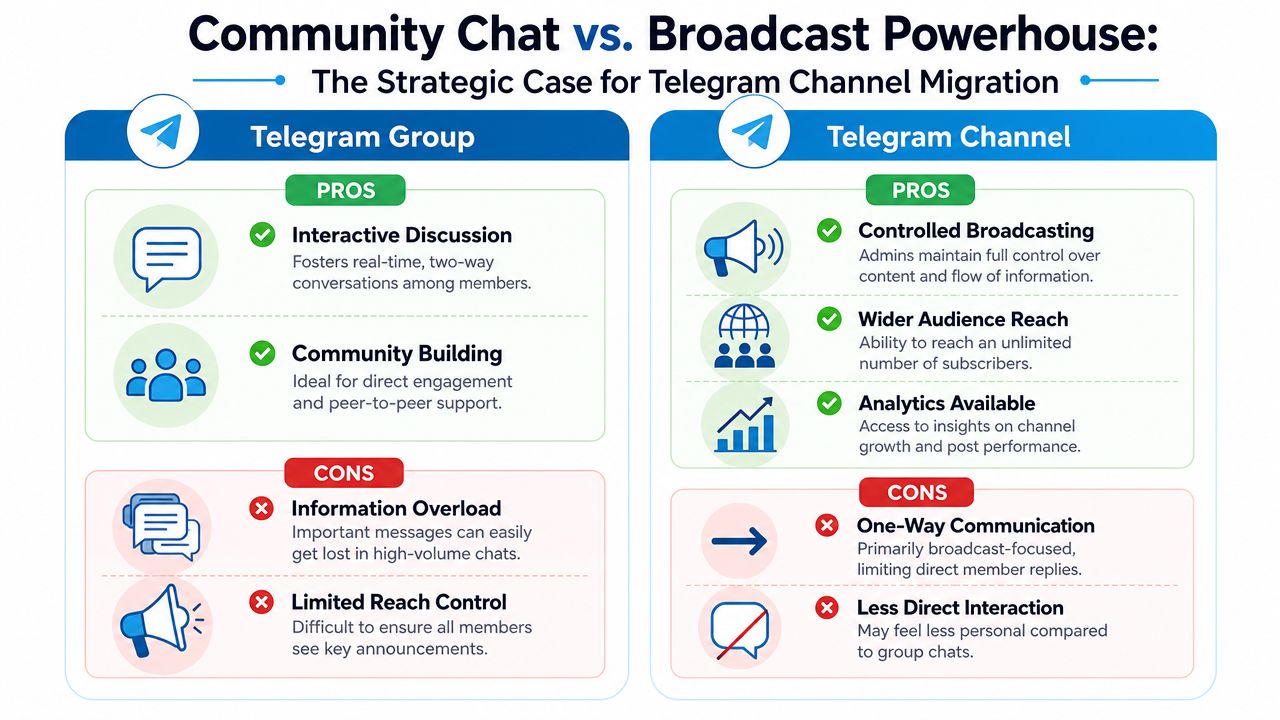
What changes when you switch formats:
| Format | Primary job | Best for | Main trade-off |
|---|---|---|---|
| Group | Discussion | Community support, peer interaction, open debate | Important updates get buried |
| Channel | Broadcasting | Announcements, editorial content, controlled publishing | Less spontaneous interaction |
In practice, channels solve three problems groups rarely solve at scale: content control, message clarity (updates stop competing with chat), and operational focus (posts become assets, not temporary comments).
When a group grows, conversation fragments — members use it for different purposes and nobody sees the same feed. A channel keeps the message consistent: every subscriber sees the same stream. A group builds community memory through conversation; a channel builds brand memory through repetition. If your presence has become part newsroom, part announcement board, part owned media asset, a channel fits better than a chat-first environment. You give up some spontaneity and gain a format that scales cleanly.
Pre-migration checklist
Decide what kind of move you're making before you create anything. Some admins want a clean break; others want a channel for announcements plus a separate space for replies. The worst migrations skip the governance shift and only plan the technical setup. Telegram lets you link a group to a channel as its discussion space, and supergroups support up to 200,000 members per Telegram's documentation — the real question isn't whether discussion is possible, it's whether you want it.
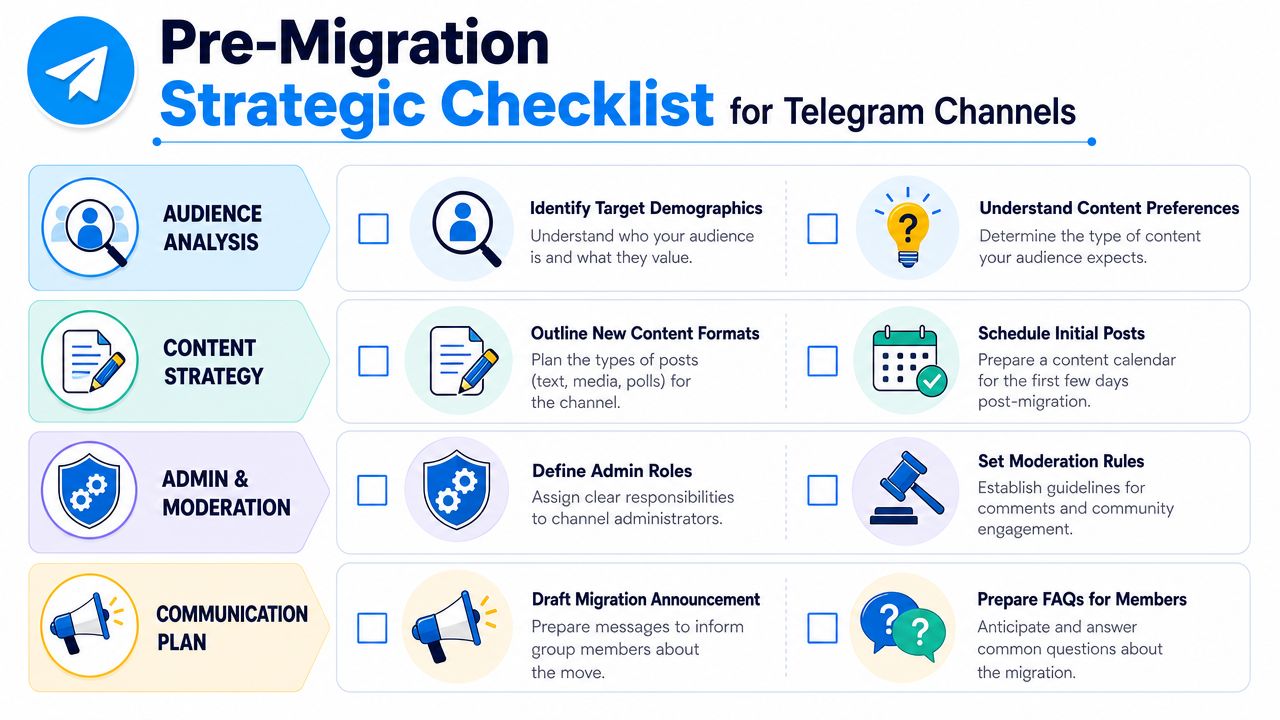
Decide what happens to discussion. You have three workable models:
- Keep the old group as the discussion space — good when members already know the norms.
- Create a new linked discussion group — better when the old group has baggage or weak moderation.
- Turn off comments entirely — best for pure broadcasting.
Are you moving because the community needs more structure, or because you're tired of noise and want to silence it? Those are different strategies, and members notice the difference fast. If you remove conversation, replace it with a clear feedback path — otherwise members don't get quieter, they get less invested.
Prepare the audience before you move them. A launch fails when members feel forced into it. Your announcement should cover why the move is happening, what changes for members, where discussion will happen, and the old group's status during the transition. Write it like support documentation, not marketing copy — short, specific, skimmable. Also answer the obvious questions: do old messages stay available, are comments still allowed, do members need a new invite link.
If your audience follows you elsewhere, coordinate the messaging across platforms — effortless multi-platform reach works better when the explanation stays consistent everywhere the audience already looks.
Lock down the channel's identity before announcing anything: name and username you won't want to change again, profile image and description matching the old group, posting permissions, comment settings, and enough first posts that the channel doesn't look empty. Empty channels convert poorly — people click through, see nothing, leave.
Preserve what matters from the old group — pinned resources, recurring answers, welcome copy, rules, important files and links. Skip the rest. Export the Telegram chat first, so nothing important stays trapped in a fast-moving thread.
Executing the migration
The execution phase should feel boring — that's a good sign. Panic migrations send mixed signals: members don't know where to go, admins improvise permissions, the channel launches without context. A clean move is deliberate and repetitive: announce more than once, pin the path forward, keep the old space usable long enough for lagging members to catch up.
Set up the new channel fully before mentioning it publicly — name, description, visual identity, and initial posts all in place. If you're linking a discussion group, connect it before the first announcement.
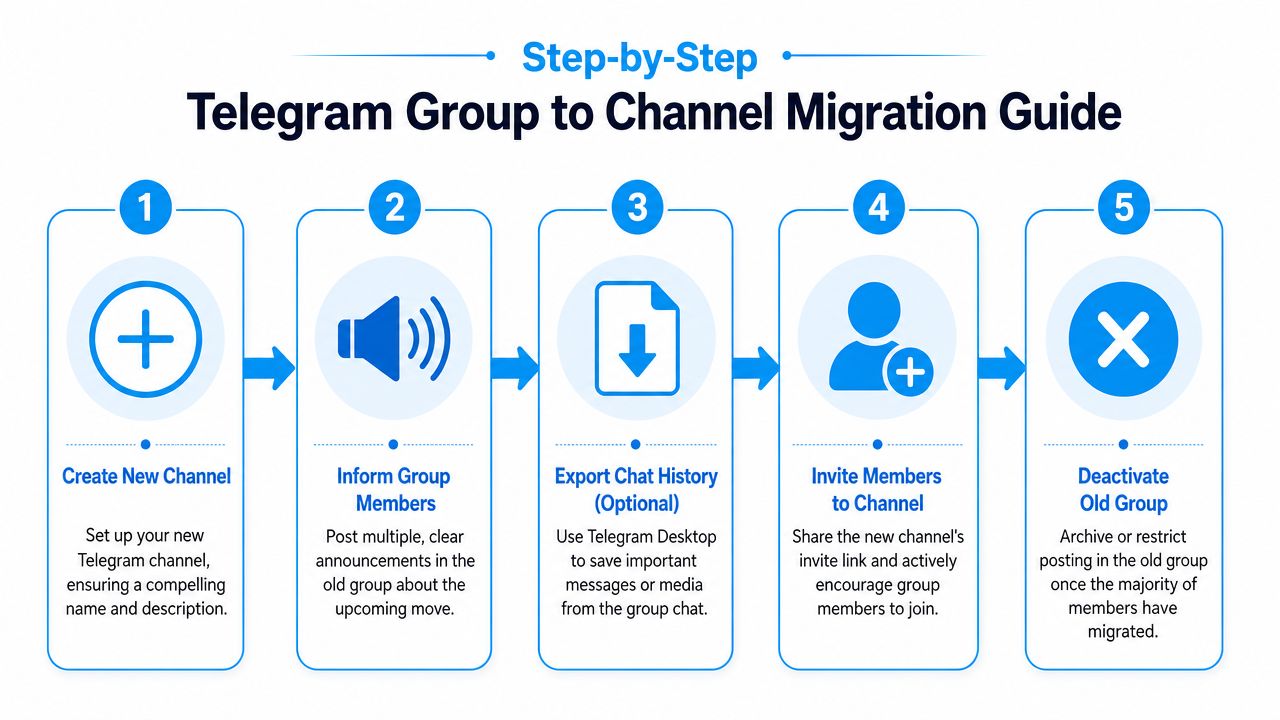
Announce the move like an operator. Telegram doesn't support direct conversion, so the practical pattern is: create the new channel, announce the move in the old group, pin the announcement, and keep the group open during a transition period to limit drop-off — per Metricgram's explanation of group vs channel migration. One message should cover four things: updates are moving, whether the group stays open, a direct link to the channel, and what happens next. Post it more than once, across different days — in active groups, one announcement is easy to miss.
Manage the transition window. Don't kill the old group the same day unless it's unsafe or unmanageable. Keep the pinned migration post at the top, redirect "where are updates now?" questions to the channel, and stop posting major announcements in the old space — if you keep publishing normally in both places, nobody feels urgency to move. Reduce fresh value in the old group, reply with the channel link when asked, restrict or archive gradually rather than abruptly, and use a welcome bot to orient new subscribers.
What not to do: don't rename the old group into something cryptic without explanation — members will assume it was abandoned or hijacked. Don't launch the channel empty. Don't leave moderation ambiguous — if comments exist, someone owns them from day one. Don't overcomplicate the message; members need one clear path, not a strategy memo.
Optimizing the new channel with analytics
Once the migration is done, opinion stops mattering as much — the numbers start doing the talking. A group can hide weak communication because activity itself looks healthy. A channel is less forgiving: you can see whether people subscribe, view posts, and keep a consistent rhythm. TGStat's catalog now lists over 2.76 million channels and groups, and Telegram provides built-in stats once a channel passes 50+ subscribers — subscriber growth, post frequency, views, and reactions are the metrics TGStat leans on too.
What to watch first: subscriber growth (are members following the transition), views on early posts (paying attention or just joining passively), post frequency (a sustainable rhythm or not), and reactions/comment activity (is the feedback loop healthy or forced). For a broader look at tools built for this, see Telegram channel analytics.
The real question after migration isn't "did everyone move?" It's "did the right communication model emerge?" A smaller, attentive channel usually beats a noisy group with weak visibility. Are important posts easier to find, is the cadence more consistent, are comments (if enabled) more focused than before? PostNitro's 2025 social media metrics insights are a useful reference, even though Telegram has its own mechanics.
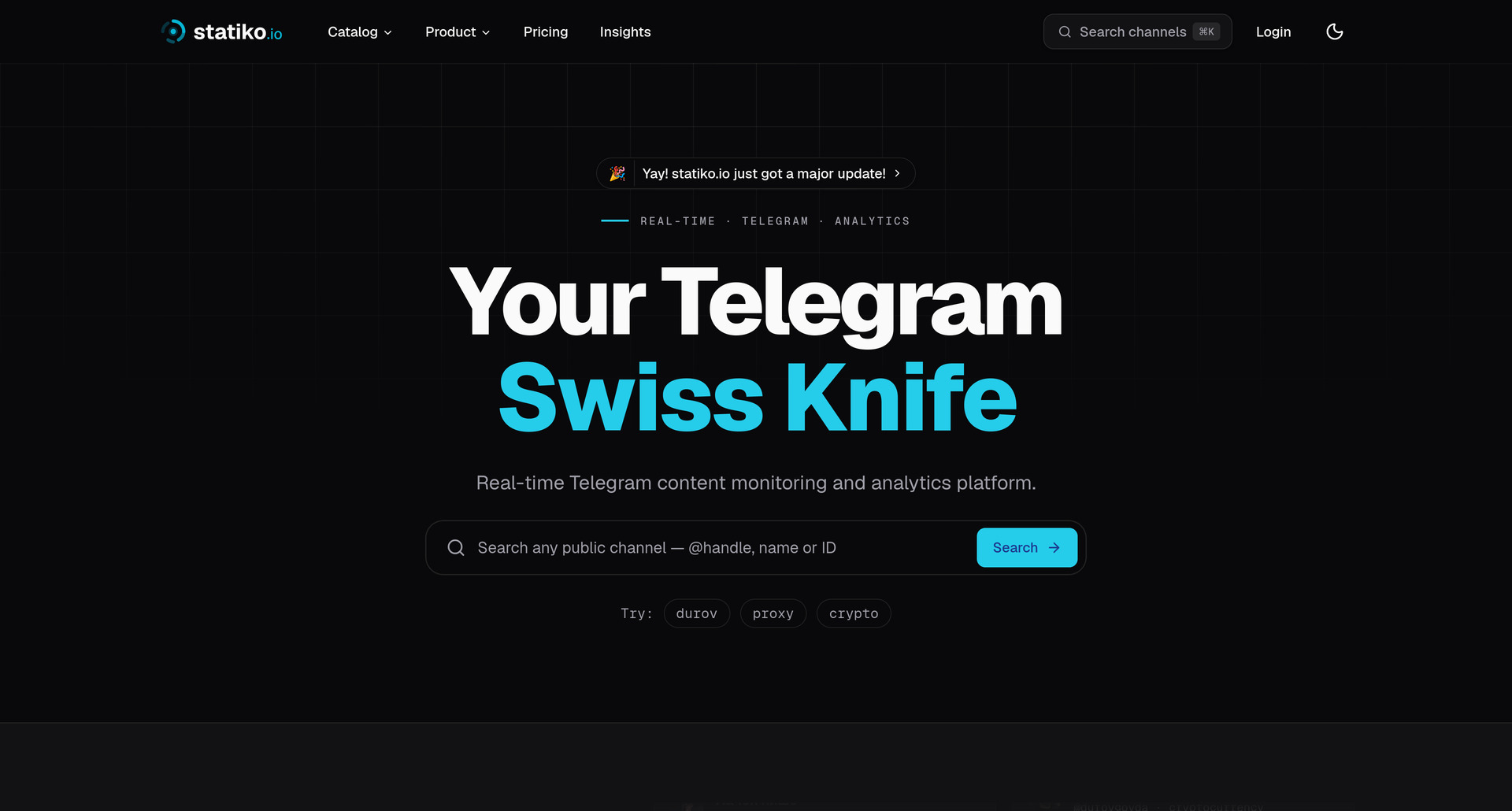
Broadcast spaces carry a different trust dynamic than chat. In a group, edits and deletions disappear into the speed of conversation. In a channel, every official post carries more weight, which is why content-history tracking matters more after migration. Statiko tracks public channel growth, posting patterns, and message edits or deletions with timestamps and original content, so admins can audit what changed and explain it when needed. Members forgive format changes faster when the new channel feels more accountable than the old group, not less.
Troubleshooting common migration issues
The most common complaint after a migration: not enough members followed. That doesn't always mean it failed — the old group may have had passive members who were never going to consume structured content anyway. Reach only matters if the audience is active and a fit for what the channel now publishes.
If too few members moved: check whether the announcement was too vague, whether the channel looked empty when people arrived, or whether the old group is still too useful — if all the value remains there, nobody changes behavior. Run another short transition push with clearer language if needed.
If the linked discussion group gets messy: channels feel cleaner than groups until comments reopen the old problems. Tighten the structure fast — update rules, clarify moderator roles, consider whether every post needs discussion attached. A linked group should support the channel's publishing model, not recreate the chaos that made you migrate.
If you're unsure when to close the old group: close it once it stops helping members orient themselves. If it still answers practical questions and funnels people to the channel, keep it available but limited. If it's become a ghost town or spam magnet, archive it or restrict posting — don't let nostalgia preserve a broken workflow.
Audience quality matters more than raw size after migration, especially in public Telegram spaces where discovery is noisy — see this research on Telegram audience validation and risk. A leaner audience that reads, reacts, and returns beats a bigger one that doesn't.
If you've moved from a group to a channel and want a clearer view of what happens next, Statiko helps you track public channel growth, post performance, and message edit or deletion history so you can judge the migration on evidence instead of guesswork.
Related posts

Deciding on Telegram channels vs groups? Our 2026 guide compares features, use cases, analytics, and privacy to help you make the right strategic choice.

Export telegram chat - Learn to export Telegram chat from desktop & mobile seamlessly. This guide covers JSON/HTML formats, public channel tools, and transformi

Unlock growth with our guide to Telegram channel analytics. Learn to track key metrics, analyze competitors, and make data-driven decisions for your channel.
Start in seconds.
Create a free account to organise channels, track activity, and get recaps delivered to you.
Real-time. Telegram. Analytics.