A Guide to Using Gifs for Telegram Engagement
Learn how to find, create, and optimize GIFs for Telegram. This guide covers everything you need to boost channel engagement with standout animations.

Using gifs for telegram is a real strategy, not just dropping in a funny cat video. Animated loops stop the scroll, transfer emotion instantly, and make content stick in ways plain text can't.
Why GIFs Work
Telegram feeds are crowded. Static content gets skipped. Movement interrupts that pattern — a GIF of a cheering crowd conveys excitement faster than a paragraph ever could. It makes the channel feel human, which gets people talking.
Telegram has been investing in GIFs for years. In June 2020, when the platform hit 400 million users, they overhauled the GIF panel — emoji sections, a Trending tab, faster load times. By 2025, Telegram crossed 1 billion monthly active users. The demand for engaging visual content has only grown since.
GIFs vs other visuals
| Visual Type | Best Use Case | Engagement Impact |
|---|---|---|
| GIFs | Reactions, showing a process, dynamic humor | High — motion drives shares and reactions |
| Stickers | Brand-aligned emotional responses, community in-jokes | Medium — good for regulars, less impactful for new visitors |
| Static Images | Infographics, product shots, detailed info | Variable — informative but won't stop a scroll |
Use all three. GIFs for attention and emotion, images for information, stickers for community banter. For static image and illustration sources, see our guide to Telegram clip art. When you're sequencing several static images into one post rather than posting a single shot, our guide to TG picture stories covers how to order frames so the sequence actually reads as a story.
Finding and Creating GIFs
The built-in GIPHY search is fine, but everyone uses it. Most people type obvious single keywords like "happy" or "yes" and end up with the same overused animations. Try multi-word phrases: "anticipation bubbling" or "uncontainable joy" instead of "excited." That alone surfaces GIFs that haven't been beaten to death.
For full control, make your own:
- Video-to-GIF converters — Ezgif lets you upload a clip and export a GIF. Trim to 1–3 seconds. Short tight loops perform better and stay small.
- Screen recordings — Capture a moment from a video or your own screen. Reaction GIFs from your own content are completely unique to your community.
- Original animations — If your channel has a strong brand, simple animations from Canva give a polished, consistent look.
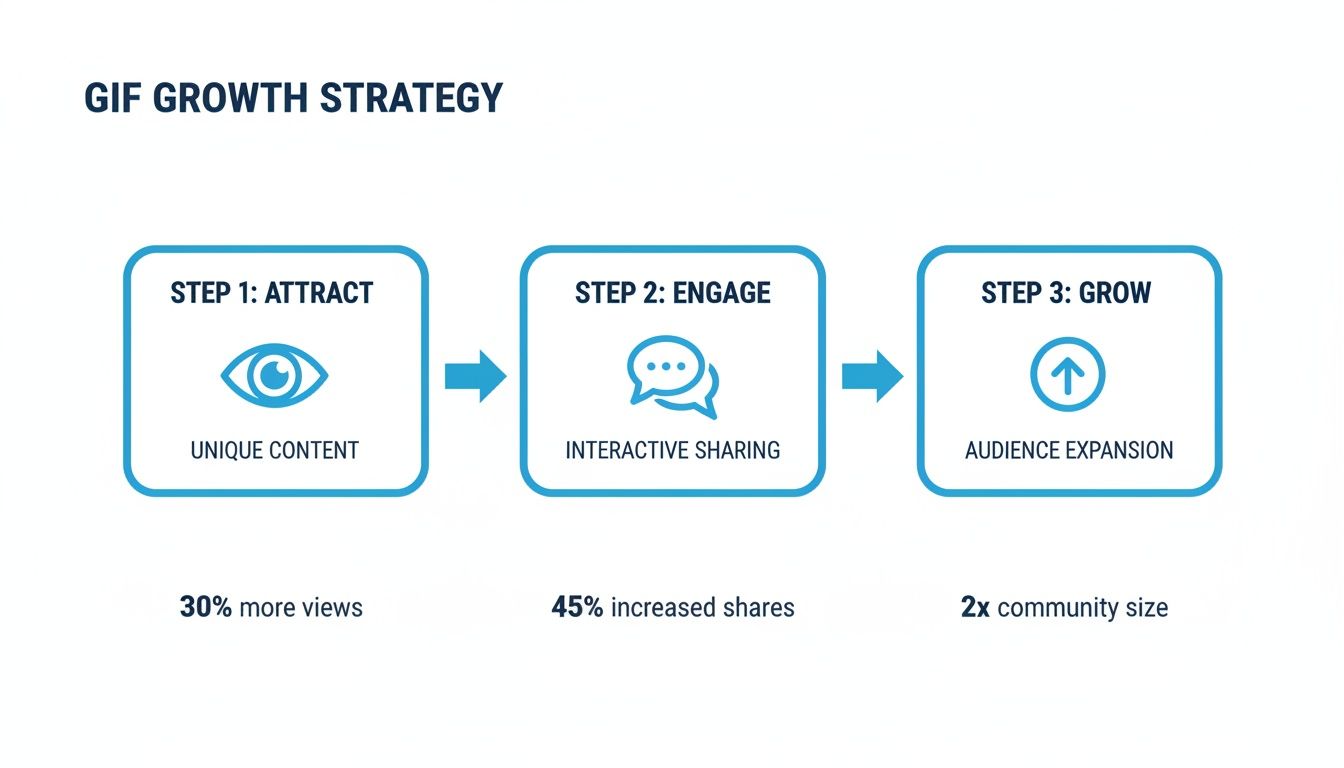
When converting video, find the exact moment of surprise, laughter, or achievement — that precision is what makes a custom GIF land. More on sourcing clips in the guide on Telegram viral video content.
Custom GIFs build an internal visual language. Subscribers start to recognize them as part of the channel's identity. That's community.
Optimizing GIFs for Telegram
A slow-loading or pixelated GIF kills the moment. Keep file size under 2MB — that's the threshold for smooth loading across most mobile connections.
Resize first. A width of ~512px is plenty for Telegram's feed. This alone cuts file size significantly before you touch compression settings.
Then compress:
- Lossy compression at 30–35 typically gives large size reductions with no visible quality loss
- Drop colors from 256 to 128 or 64 — simpler animations handle this well
- Limit frame rate to 15–20 FPS; most reaction GIFs don't need anything higher
Preview before saving. The only question that matters: does it still clearly get the emotion across? A slightly imperfect GIF that loads instantly beats a perfect one that takes five seconds to appear.
Deploying GIFs Strategically
A folder of optimized GIFs is just inventory. The impact comes from knowing when to use them.
GIFs work best when they match the audience's mood at that specific moment:
- Finance channel, market rally — A "to the moon" GIF captures collective excitement better than a text update
- Book club, plot twist — Run a reaction poll with a different GIF for each option; participation becomes visual
- Tech news, bug fix announcement — A simple "checked off the list" GIF makes the update feel human
Build a quick-access library. Tap and hold any GIF in Telegram and select "Save to GIFs." Over time this becomes a curated, on-brand collection you can pull from in seconds. Missing the right moment because you're still searching kills the effect.
For managing content scheduling and automation alongside your GIF strategy, many admins pair this with Telegram bots.
Measuring GIF Performance with Statiko
Posting GIFs without tracking results is guesswork. Do posts with GIFs consistently get more views? Do meme GIFs outperform instructional ones? Does timing matter?
These aren't rhetorical questions — they have concrete answers if you track the data.
With Statiko, you can measure engagement lift from GIF posts, identify the content types and timing that drive the most interaction, and compare your channel against competitors to see what visual formats are working for them.
Statiko also tracks post edits and deletions. So if a GIF post underperforms and gets quietly changed or removed, you see that too. It's a full picture of what's working, not just the highlights.
For a deeper breakdown of the available tools, see the guide on Telegram channel analytics.
FAQ
What's the recommended file size for a Telegram GIF? Under 2MB. Smaller loads faster across all connections, including mobile. Animated stickers are capped at 20–30KB for comparison — GIFs have more room, but staying lean still matters.
Can I save GIFs from other channels? Yes. Tap and hold a GIF (or right-click on desktop) and select "Save to GIFs." It goes straight to your personal library. Useful for quick reactions, but if you're building a recognizable brand, original GIFs make a bigger difference.
How do I find trending GIFs on Telegram? There's a built-in "Trending" tab in the GIF panel. Good for jumping on timely memes. Just verify with your analytics whether trending actually performs for your specific audience — it varies by niche.
What about copyright? Gray area. Movie and TV clips generally fall under fair use for commentary or reaction use. Risk increases in heavily monetized channels using clips for direct promotion. Safest option: make your own using original video or royalty-free footage.
Ready to stop guessing and start measuring what your visual content actually achieves? With Statiko, you get the real story behind your channel's performance, track every edit, and make decisions based on solid data, not just vibes. Start analyzing your channel for free today at Statiko.io.
Related posts

Discover how to create a Telegram viral video with proven strategies for content, distribution, and data analysis. Turn your channel's videos into viral hits.

Unlock growth with our guide to Telegram channel analytics. Learn to track key metrics, analyze competitors, and make data-driven decisions for your channel.

Discover the telegram bots list for 2026: top directories every channel admin should bookmark to optimize bots and grow engagement.
Start in seconds.
Create a free account to organise channels, track activity, and get recaps delivered to you.
Real-time. Telegram. Analytics.